Table of Contents >> Show >> Hide
- Why Your Home Office Setup Matters More Than You Think
- 15 Home Office Ideas to Elevate Your Remote Work Environment
- 1. Carve Out a Dedicated Work Zone (Even in a Tiny Space)
- 2. Invest in an Ergonomic Chair (Your Spine Will Thank You)
- 3. Upgrade to a Sit-Stand Setup
- 4. Layer Your Lighting Like a Designer
- 5. Use Color Psychology to Support Your Work Style
- 6. Maximize Vertical Space with Smart Storage
- 7. Consider Vertical or Stacked Monitors
- 8. Tame Cable Chaos and Tech Clutter
- 9. Upgrade Your Background for Video Calls
- 10. Bring in Plants and Natural Elements
- 11. Use Room Dividers for Mental Boundaries
- 12. Embrace Floating or Wall-Mounted Desks in Small Rooms
- 13. Plan Your Layout Like a Pro (Even in 7×7 Feet)
- 14. Curate, Don’t Clutter
- 15. Build Reset Rituals and Organization Habits
- Real-Life Home Office Lessons: of Honest Experience
- Wrapping It Up
If you’ve ever answered an email from your couch and then wondered why your back hurts, your brain is foggy, and your motivation mysteriously vanished around 2 p.m., this article is for you. A good home office isn’t just “a desk somewhere near an outlet”it’s a carefully designed environment that supports focus, comfort, and sanity (especially on back-to-back Zoom days).
The good news: you don’t need a dedicated room, a designer budget, or a viral Pinterest setup to upgrade your work-from-home life. With a few thoughtful changesbacked by design, ergonomics, and color psychologyyou can turn even a tiny corner into a mini productivity powerhouse.
Why Your Home Office Setup Matters More Than You Think
Researchers and workspace experts consistently link environment with how you think, feel, and perform. The right chair and desk reduce strain on your back and neck. Proper lighting cuts eye fatigue. Standing more can improve mood and energy. And your color choices can nudge your brain toward calm focus or energized creativity.
In other words, your “remote work environment” isn’t just aesthetics. It’s ergonomics, psychology, and workflow design working together so you can get more done without feeling like your body was the price of admission.
15 Home Office Ideas to Elevate Your Remote Work Environment
1. Carve Out a Dedicated Work Zone (Even in a Tiny Space)
Step one: give your brain a visual cue that says, “We’re working now.” That doesn’t mean you need a full room. Designers recommend defining even a small nook with paint, a rug, or a compact desk so it feels intentional instead of “random laptop floating in the living room.”
Try:
- A narrow console or wall-mounted desk behind the sofa.
- A “cloffice” (closet office) with a simple desk and shelves.
- Painting a small section of wall a different color to visually frame your workspace.
The goal is psychological separation: when you sit there, your brain knows it’s time to focus. When you leave, it’s easier to mentally log off.
2. Invest in an Ergonomic Chair (Your Spine Will Thank You)
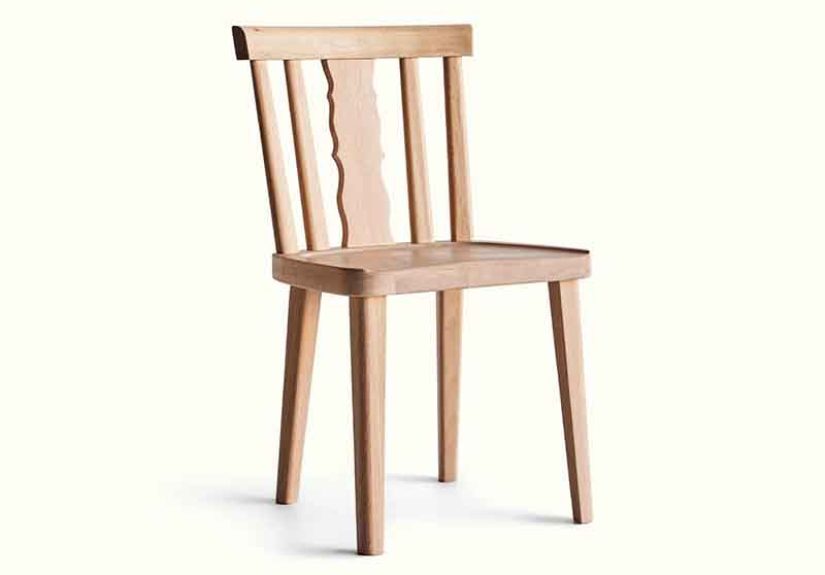
Your kitchen chair was not auditioning to be your full-time office chair. Ergonomic chairs are designed to support the natural curve of your spine, reduce pressure points, and keep you comfortable during long stretches of work. Experts suggest looking for adjustable height, lumbar support, and flexible armrests so the chair can match your body, not the other way around.
A quick ergonomic check:
- Your feet rest flat on the floor (or a footrest).
- Your knees form about a 90-degree angle.
- Your lower back feels supported, not “hanging in space.”
- Your shoulders can relax while typingno shrugging up toward your ears.
3. Upgrade to a Sit-Stand Setup
Standing desks aren’t just a trendy office flex. Studies suggest that alternating between sitting and standing may improve mood, reduce fatigue, and even boost productivity, with some research showing big gains in focus for people who use sit-stand setups.
You don’t need a full motorized desk to get started:
- Use a desktop riser you can place on your existing desk or table.
- Repurpose a sturdy shelf unit or bar-height counter for standing sessions.
- Set a timer to switch positions every 30–60 minutes so you avoid marathon sitting.
Pro tip: pair standing time with meetings, brainstorming, or phone callsit feels more natural to stand when you’re talking and thinking out loud.
4. Layer Your Lighting Like a Designer
If your current lighting situation is “overhead light plus vibes of a dentist’s office,” it’s time for a glow-up. Designers recommend using at least two or three light sources to reduce harsh shadows and eye strainthink ambient lighting plus a dedicated task lamp.
Aim for:
- Ambient light: a ceiling fixture or floor lamp to softly brighten the room.
- Task light: an adjustable desk lamp aimed at your keyboard or notebook.
- Accent light: a small lamp, LED strip, or wall sconce to soften shadows and add warmth.
Warm, indirect lighting is especially helpful if your office is in an enclosed room with little natural lightit supports focus while still feeling cozy.
5. Use Color Psychology to Support Your Work Style
Colors influence how we feel and behave more than most people realize. Blues and greens are often linked with calm, focus, and reduced stressno wonder they’re favorites for offices and study spaces. Warmer tones like soft yellows and muted corals can feel energizing and optimistic.
To avoid color chaos, decorators love the 60–30–10 rule: 60% main color (walls, large rug), 30% secondary color (desk, secondary seating, curtains), and 10% accent (art, pillows, small accessories). This gives your office a polished, intentional look without needing an interior design degree.
6. Maximize Vertical Space with Smart Storage
When floor space is tiny, go up, not out. Wall-mounted shelves, pegboards, and vertical file holders keep surfaces clear and reduce that “I live inside a paper avalanche” feeling. Small-space experts highlight pegboards and modular shelving as MVPs for flexible storage that evolves with your work.
Think:
- Pegboards for cables, headphones, scissors, and current projects.
- Floating shelves for books, bins, and reference materials.
- Clear jars, trays, and labeled boxes to keep small items organized but visible.
Lifestyle examples like Martha Stewart’s famously organized craft spaces show how beautiful, clearly labeled storage can make even busy rooms feel calm and functionalyour home office can borrow the same strategy.
7. Consider Vertical or Stacked Monitors
If you work with documents, code, or long pages of text, a vertical or stacked monitor setup can dramatically reduce scrolling and window juggling. Vertical monitors are especially helpful for reading and editing, while a stacked layout (one above another) makes sense in tight spaces where you can’t spread out side-to-side.
Ideas to try:
- Use one horizontal monitor for email and communication, and one vertical for documents.
- Stack a smaller monitor above your main display for reference dashboards or timelines.
- Pair your laptop screen with a single larger external monitor to create a clean, focused layout.
8. Tame Cable Chaos and Tech Clutter
Nothing kills the “elevated work environment” vibe faster than a nest of cables under your desk. Cable management doesn’t just look betterit also reduces tripping hazards and makes cleaning easier.
Simple upgrades:
- Use under-desk trays or cable raceways to hide power strips and cords.
- Label each charger and cord so replacements and re-routing are painless.
- Keep a dedicated tech drawer or box for spare adapters, dongles, and peripherals.
9. Upgrade Your Background for Video Calls
Your video call background has become the new office door sign. It doesn’t need to be fancy, but it should look intentional. A simple bookshelf, framed art, or neatly styled wall creates a professional impression without feeling stiff.
Consider:
- A neutral wall with one or two pieces of art behind you.
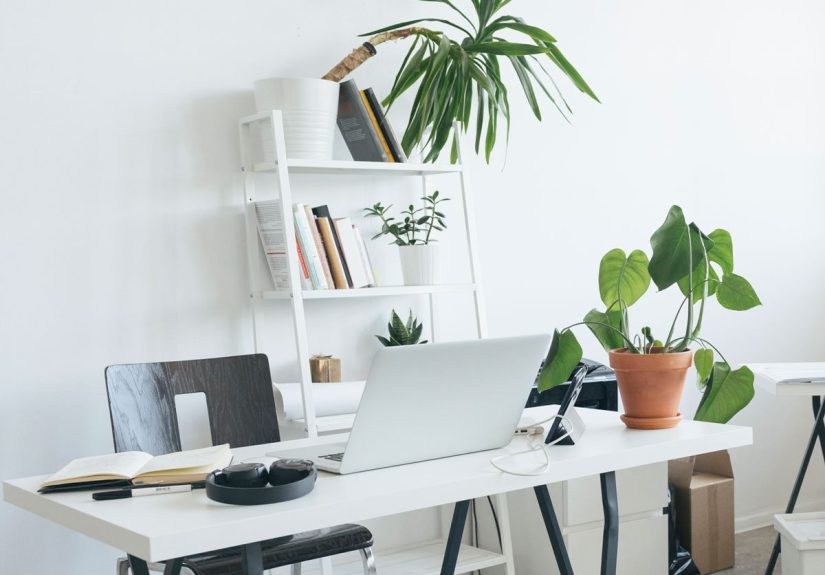
- A slim bookcase styled with a mix of books, storage boxes, and plants.
- A fabric room divider that doubles as a visual and acoustic buffer.
10. Bring in Plants and Natural Elements
Plants are the low-effort heroes of home offices. They soften hard edges, introduce calming greens, and subtly signal “this is a pleasant place to be.” Even small studies suggest that contact with natural elements can improve mood and perceived well-being in work environments.
Easy options:
- Snake plants and pothos for low-maintenance greenery.
- A small vase of fresh greenery or flowers near your monitor.
- Wood tones in your desk, shelves, or accessories to warm up the space.
11. Use Room Dividers for Mental Boundaries
When your office is part of a bedroom, living room, or studio, physical boundaries become mental boundaries. Designers often recommend curtains, screens, or open shelving to “zone” mixed-use spaces so each area feels defined.
Try:
- A curtain or folding screen that you literally close at the end of the day.
- An open bookshelf that separates your desk from the rest of the room.
- A different rug under your office area to visually mark the zone.
12. Embrace Floating or Wall-Mounted Desks in Small Rooms
Short on floor space? Consider a floating desk or wall-mounted workstation. Recent celeb design exampleslike clever “floating offices” tucked into small bedroom nooksshow how a slim wall-mounted surface plus shelving can turn unused corners into fully functional work zones.
Benefits:
- They free up floor space, making rooms feel larger.
- They naturally encourage minimalismyou can’t pile too much on a narrow ledge.
- They’re ideal for occasional laptop work or small apartments.
13. Plan Your Layout Like a Pro (Even in 7×7 Feet)
You don’t need a big room; you need a smart layout. Common small-office floor plan ideas include placing the desk facing a window, tucking it into a corner, or floating it slightly away from the wall for better circulation. Online layout inspiration shows that even tiny 7×7 or 8×10 spaces can fit a desk, chair, storage, and sometimes a second workstation with thoughtful planning.
A few layout rules of thumb:
- Leave enough space behind the chair to stand and move comfortably.
- Keep frequently used items within arm’s reach to reduce strain.
- Use corners and vertical walls for storage instead of crowding the floor.
14. Curate, Don’t Clutter
A few meaningful objects can make your space feel inspiring. Too many can make it feel chaotic and cramped. Interior designers often suggest limiting the number of items on a surface and being selective about what you display.
Think “curated shelf,” not “everything I’ve ever owned.” Keep:
- One or two personal photos that make you smile.
- A small stack of your current reads or reference books.
- One decorative object (a candle, sculpture, or keepsake) that reflects your personality.
15. Build Reset Rituals and Organization Habits
Even the best-designed office will crumble into chaos without habits to support it. Many highly organized people swear by a quick end-of-day reset: clear your desk, close browser tabs, jot down tomorrow’s top three priorities, and power down devices.
Borrow a page from meticulously organized craft rooms and studios: categorize items, give everything a “home,” and label storage clearly so tidying up takes minutes, not hours.
Real-Life Home Office Lessons: of Honest Experience
Theory is great, but what does this look like in real lifewhen you’re juggling Slack messages, laundry, and a mysteriously loud neighbor who seems to vacuum exclusively during your meetings?
Here’s what tends to happen when people start upgrading their home offices, based on common patterns, shared experiences, and plenty of trial and error.
1. The “temporary” setup becomes permanent.
Many remote workers start with a laptop at the dining table “just for a few weeks.” Six months later, they’re still packing up at dinner and hunting for their charger every morning. The game changer is deciding, “This spot is my office,” even if it’s just a corner. Once people do thatby adding a real chair, a lamp, and a small storage unittheir routines get smoother and their workdays feel less chaotic.
2. Comfort sneaks up on you.
It’s easy to underestimate how much a good chair or monitor arm matters until you upgrade. At first, it feels like a splurge. Then, after a week of less neck pain or fewer headaches, most people wonder how they ever worked without it. A surprisingly common comment is, “I’m less exhausted at the end of the day, even when I worked the same number of hours.” That’s ergonomics quietly doing its job.
3. Standing desks work best with rules.
People who love sit-stand setups usually don’t stand all day. Instead, they set small, realistic rules: stand during the first meeting of the day, or whenever they’re on audio-only calls, or for one hour after lunch. The magic is in the switching, not in heroically standing for eight hours. The people who hate standing desks often tried to go “all in” and ended up with tired feet and a grudge against their furniture.
4. Lighting changes how you feel about Mondays.
Many remote workers report that once they add a warm desk lamp, adjust overhead lighting, or move closer to a window, their office feels less like a bunker and more like a place they actually want to sit. Morning feels easier when you’re greeted by soft, intentional light instead of a single harsh bulb or a gloomy corner.
5. Color and decor affect your mood more than you expect.
People who switch from plain white walls to a soft blue-gray, sage green, or warm neutral often describe the change as “calming” or “less clinical.” Toss in a couple of framed prints or photos, and suddenly the space feels like theirs, not a leftover corner they borrowed from the rest of the house. The most successful decor choices tend to be personal but not distractingthink art that inspires you rather than a wall of bold patterns right behind your monitor.
6. Clutter is a productivity tax.
Almost everyone hits a point where their beautiful office turns into a stack of papers, cables, and coffee mugs. The difference between setups that bounce back and those that spiral into chaos usually comes down to two things: storage and habits. If everything has a place (drawer, bin, shelf, cable tray) and you have a five-minute “reset” routine, the space stays usable. Without those, clutter gradually takes over and makes starting work feel heavier than it needs to.
7. Small tweaks add up over time.
Rarely does someone build their perfect home office in one weekend. More often, it evolves: first a real chair, then a monitor, then better lighting, then color, then storage, and so on. Each adjustment shaves off a little friction from the workday. The important thing is to notice where you feel uncomfortable, distracted, or disorganized, and tackle those issues one by one.
The big takeaway? A great remote work environment isn’t about copying a picture-perfect setup. It’s about building a space that supports your body, your brain, and your daily routinesso your home office feels less like a compromise and more like an advantage.
Wrapping It Up
Elevating your home office doesn’t require a renovation or a designer budget. By defining a clear work zone, prioritizing ergonomics, dialing in your lighting and color, and building smart storage and habits, you’ll create a space that supports long-term productivity and well-being. Start with one or two ideas, watch how your day feels, and keep refining. Your remote work environment should work just as hard for you as you do for it.