Table of Contents >> Show >> Hide
- What “Featured Channels” Means (And Why You Should Care)
- Before You Start: Turn On the Home Tab and Know the Rules
- Step-by-Step: How to Add Featured Channels in YouTube Studio (Desktop)
- How to Choose Which Channels to Feature (So It Helps You Instead of Confusing People)
- Layout Strategy: Where to Place Featured Channels for Maximum Impact
- Pro Tips That Make Featured Channels Actually Work
- Troubleshooting: “I Don’t See Featured Channels” (And Other Mini-Panics)
- How to Measure If Featured Channels Are Helping
- Specific Examples: Featured Channels Ideas by Niche
- FAQ: Quick Answers About Featuring Channels
- Real-World Experiences: What Actually Happens After You Add Featured Channels (500+ Words)
- Conclusion
Your YouTube channel homepage is basically your digital living room. People walk in, glance around, and decide
in the time it takes to blink twicewhether they’re staying for snacks (aka videos) or quietly backing away.
Featuring channels on your YouTube channel homepage is one of those small, underused moves that can instantly
make your channel feel more curated, more connected, and more trustworthy.
In this guide, you’ll learn exactly how to add a Featured channels section to your YouTube channel
homepage, how to pick the right channels to showcase, and how to position that section so it actually gets clicks
(instead of sitting there like a decorative plant no one waters).
What “Featured Channels” Means (And Why You Should Care)
A Featured channels section is a customizable block on your channel’s Home tab
that highlights other YouTube channels you want your viewers to discover. Think of it as:
- A recommendations shelf for your audience (“If you like my stuff, you’ll probably like this too.”)
- A collaboration signal (“I’m connected to creators in this space.”)
- A credibility booster (“I feature reputable channels, not random chaos.”)
- A viewer experience upgrade that makes your homepage feel intentionally designed.
Important: Featured channels are not the same as a Subscriptions section. Subscriptions usually show
channels you subscribe to (depending on privacy settings), while Featured channels are curatedmeaning you choose them,
name the section, and update it whenever you want.
Before You Start: Turn On the Home Tab and Know the Rules
YouTube’s channel layout customization happens in YouTube Studio. Your channel’s Home tab needs to be enabled,
because the featured channels section lives there.
Also, YouTube allows up to 12 sections on the Home tab. Most channels start with a default layout
(often including Shorts and uploads), then you build from there. Translation: you have enough room to be creative,
but not enough room to feature every channel you’ve ever watched at 2 a.m. while eating cereal straight from the box.
Step-by-Step: How to Add Featured Channels in YouTube Studio (Desktop)
If you want the smoothest experience, do this on a desktop browser. Mobile is possible in some cases, but desktop is
the “no drama” option.
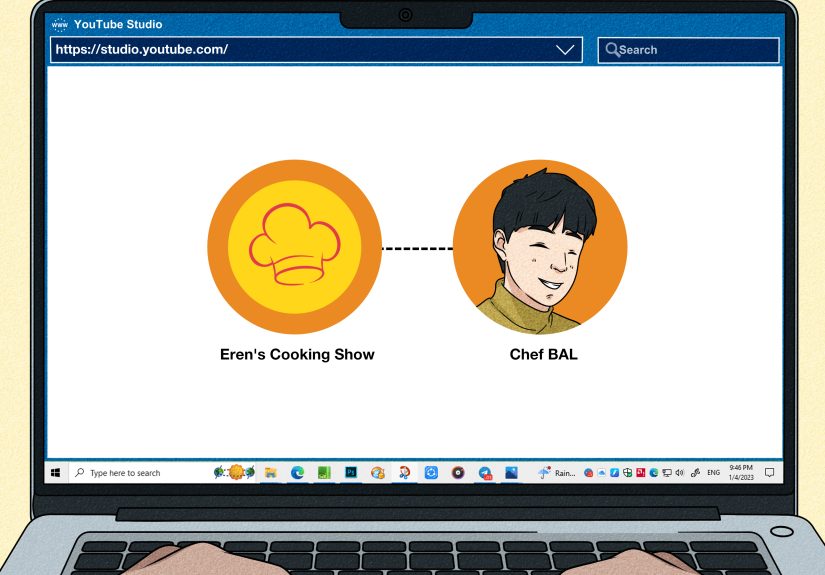
1) Open YouTube Studio
- Sign in to YouTube.
- Click your profile icon (top-right).
- Select YouTube Studio.
2) Go to Customization → Home Tab
- In the left menu, click Customization.
- Choose the Home tab.
- If you see a toggle for the Home tab, make sure it’s turned on.
3) Click “Add Section”
Under the layout area, choose Add section. This opens a menu of section types you can addvideos,
playlists, and the one we want: channels.
4) Choose “Channels” → “Featured channels”
Scroll until you see the category for Channels. Select the option that lets you highlight
Featured channels (not just subscriptions).
5) Name the Section and Add Channels
Now for the fun part: you can add a title for the section and search for channels to include. Titles matter more
than most people think, because they set expectations. For example:
- “Creators I Collaborate With” (great for partnerships)
- “Recommended Channels for Beginners” (great for education niches)
- “Watch These Next” (simple, click-friendly)
- “Friends of the Channel” (warm and community-focused)
Add the channels you want, confirm your selection, and make sure the section looks right in the preview.
6) Publish (Because YouTube Will Not Read Your Mind)
This is the step that trips people up: you must click Publish. If you navigate away without publishing,
your masterpiece disappears into the digital void. Publish, then visit your channel homepage to confirm the featured
channels section is live.
How to Choose Which Channels to Feature (So It Helps You Instead of Confusing People)
The best featured channels strategy starts with a simple question:
What would my ideal viewer want to watch right after watching me?
Pick channels that complete the viewer’s journey
- Complementary expertise: If you teach photography, feature a channel focused on editing or lighting.
- Same niche, different angle: If you’re a meal-prep creator, feature a nutrition channel or a budget grocery channel.
- Your collaborators: If you do guest episodes or collabs, feature those partners to reinforce the relationship.
- Your “sister” channels: If you have a Shorts-only channel, podcast channel, or brand channel, feature it.
Avoid these common mistakes
- Featuring giant, unrelated channels: “I like this celebrity” is not a strategy.
- Featuring too many channels: If it looks like a phone book, viewers won’t click.
- Featuring direct competitors with identical content: Collaboration is great; accidentally training your audience to leave forever is not.
- Featuring channels you don’t actually endorse: Your homepage recommendations reflect on you.
Layout Strategy: Where to Place Featured Channels for Maximum Impact
YouTube lets you reorder sections on your channel home tab. Use that power wisely.
Best placement patterns
- Top 3 placement: Great if collaboration and community are key to your brand.
- After your “Spotlight”/featured video area: Viewers get introduced to you first, then you recommend others.
- Near playlists: If your channel is organized by playlists, featured channels can act like “advanced learning” or “related content” extensions.
A practical rule: keep your core content (trailers, spotlight, best playlists) above the featured channels section.
Then use featured channels as a “next step” once people understand what you do.
Pro Tips That Make Featured Channels Actually Work
1) Use a title that creates a reason to click
“Featured channels” is functional, but it’s not persuasive. A better title tells viewers why these channels matter.
Try titles that match your audience’s intent, like “More Tutorials,” “More Like This,” or “Recommended for New Subscribers.”
2) Curate seasonally (yes, like a playlist)
If your niche has seasonsfitness challenges, gardening, budgeting, holidaysrotate featured channels to match what your
viewers need right now. Keeping the homepage fresh can improve the overall viewer experience and make your channel feel alive.
3) Use featured channels to strengthen partnerships
If you collaborate with creators, featuring them is a low-effort way to show support. It’s also a subtle signal to brands
and potential partners that you’re plugged into a community and not operating as a lone wolf yelling into the algorithm.
4) Keep it tight: 3–8 channels is a sweet spot
You want variety without clutter. A short, high-quality set performs better than a long list no one reads.
Troubleshooting: “I Don’t See Featured Channels” (And Other Mini-Panics)
The “Featured channels” option isn’t showing
- Check that the Home tab is enabled in channel customization.
- Use desktop YouTube Studio if possible; the mobile app experience can be limited for layout changes.
- Confirm you’re in the Home tab (not Profile or Basic info areas).
My changes didn’t appear
- Did you click Publish? (This is the #1 culprit.)
- Give it a moment and refresh your channel homepage.
- Check in an incognito/private window to see what viewers see.
I featured channels, but the section looks “meh”
- Shorten and sharpen your section title.
- Reduce the number of featured channels.
- Move the section higher or lower and see if engagement changes over a few weeks.
How to Measure If Featured Channels Are Helping
Featuring channels is partly branding and partly user experience, so measurement is often indirect. But you can still
check whether your homepage is doing more work for you.
Look for “Channel pages” in traffic sources
In YouTube Studio analytics, explore your Reach reporting and traffic source breakdowns. If your channel homepage is becoming
more useful, you may see more activity attributed to channel pages over timeespecially after you reorder sections and refine your layout.
Watch for these “soft wins”
- Higher session time: viewers click around your ecosystem instead of bouncing.
- More subscribers after homepage visits: a stronger channel “first impression” can help conversion.
- Better collab performance: featured partners often return the favor or become more open to future collabs.
Specific Examples: Featured Channels Ideas by Niche
If you run a business channel
Title: “Tools & Tactics I Recommend”
Feature: creators who specialize in SEO, email marketing, analytics, and sales psychologytopics that naturally follow business strategy videos.
If you’re a gaming creator
Title: “Creators You’ll Like If You Like This Game”
Feature: channels with complementary play stylesspeedrunners, lore channels, build guides, and community highlight channels.
If you’re an educator
Title: “Keep Learning”
Feature: channels that cover adjacent subjects (math + coding, writing + public speaking, science + study skills).
If you’re a lifestyle creator
Title: “Friends of the Channel”
Feature: creators with similar values and audiencesminimalism, wellness, home organization, or budget-friendly living.
FAQ: Quick Answers About Featuring Channels
Can I feature channels I don’t own?
Yes. Featured channels are simply channels you’re highlighting on your homepage. You’re not claiming ownershipjust recommending.
Do those channels have to approve it?
Typically, no approval is required to feature a public channel. Still, it’s smart to feature responsibly and avoid anything that could confuse viewers.
How often should I update featured channels?
If you collaborate frequently, update it as partnerships change. Otherwise, a quarterly refresh is plentythink “helpful and current,” not “chaotic and constantly rearranged.”
Will featuring channels boost my SEO directly?
Not directly. But it can improve user experience, encourage deeper browsing, and strengthen your channel brandwhich can support growth over time.
Real-World Experiences: What Actually Happens After You Add Featured Channels (500+ Words)
After helping creators fine-tune channel homepages for years, I can tell you this: adding featured channels is rarely the “magic growth lever”
people secretly hope it will be. (Sorry. If YouTube had one magic lever, it would already be locked in a vault protected by laser sharks.)
But it is one of the easiest “trust builders” you can addespecially if your channel is in a knowledge-based niche where viewers want proof
you’re part of a legitimate community.
Here’s the pattern I see most often. A creator adds a featured channels section, feels proud, and then… nothing dramatic happens in the next 48 hours.
No fireworks. No angel choir. No sudden “Congrats! You have unlocked Level 99 YouTuber!” message from the algorithm. But two to four weeks later,
their channel starts feeling “cleaner,” more intentional, and more professional. And that’s when the subtle wins show up:
a higher percentage of new viewers stick around long enough to watch a second video, people comment things like “Your channel is so organized,”
and collab partners start treating the creator like someone who’s serious.
One of the best uses I’ve seen is for creators who do collaborative contentpodcasts, interview series, or niche communities (like maker channels,
small business channels, or gaming communities). Featuring a handful of recurring guests or partner channels helps viewers understand the ecosystem.
It also makes your channel feel like a “hub” instead of a random stack of uploads. If your channel is the party, featured channels are the part where
you introduce guests like: “This is Alexhe brings the guacamole of wisdom.” People love context. People click when they know why they should.
The biggest mistake I see is the “gratitude spiral.” A creator wants to be niceso they feature everyone. Then the featured channels section becomes a
scrolling museum exhibit. Viewers don’t click because it feels like homework. Curating is not being mean; curating is being helpful. A strong featured
channels section is like recommending three great restaurants instead of listing every place you’ve ever eaten.
Another real-world lesson: titles matter more than people expect. “Featured Channels” is technically correct, but it’s also emotionally equivalent to
a beige folder labeled “Documents.” A creator who renamed their section to “Start Here: My Favorite Creators for Beginners” saw noticeably more clicks
(based on comments and partner feedback) than when it was generic. You don’t need hype. You just need clarity. Viewers click clarity.
Finally, the underrated benefit: relationships. When you feature another channel, you’re not just reorganizing your homepageyou’re building a
lightweight partnership signal. Some creators will notice and return the favor. Others won’t (and that’s okay). But featuring channels makes it easier
to start conversations like, “Hey, I’ve been recommending your channel on my homepagewant to do a collab?” It’s warm outreach. It’s social proof.
And it’s way less awkward than sliding into someone’s inbox with “Hello, stranger, please collaborate with me. I have vibes.”
Bottom line: featured channels won’t replace great videos, strong thumbnails, or consistent publishing. But they can upgrade your channel homepage from
“pile of content” to “curated experience.” And on YouTube, the channels that feel intentional tend to earn more trustone click at a time.
Conclusion
Featuring channels on your YouTube channel homepage is a simple customization with outsized branding value. It helps new viewers understand your space,
gives returning viewers quality “next steps,” and strengthens your credibility by showing you’re connected to a wider creator ecosystem.
Set it up in YouTube Studio, keep the list curated, use a title that makes sense to viewers, and place the section where it supports your main goal:
getting people to watch more of your content and subscribe. Your homepage is your storefrontmake it feel like you actually meant to decorate it.