Table of Contents >> Show >> Hide
- What Is Cinema HD APK, Really?
- Is Cinema HD APK Legal to Use on Fire Stick?
- Why You Won’t Find a Click-by-Click Install Guide Here
- Safer, Legal Alternatives to Cinema HD on Fire Stick
- What to Consider Before Installing Any Third-Party APK
- Responsible Streaming on Amazon Fire Stick
- Real-World Experiences with Third-Party Streaming Apps
- Conclusion: Smart Choices Beat Secret Shortcuts
If you’ve ever typed “How to install Cinema HD APK on Amazon Fire Stick (2023)” into a search bar, you already know the internet is full of step-by-step hacks, screenshot guides, and “totally safe, bro” tutorials. Many of those guides skip one tiny detail: whether you should actually do this in the first place.
This article takes a different approach. Instead of walking you through every click needed to sideload an unofficial app, we’ll talk honestly about what Cinema HD is, what risks come with installing it on a Fire Stick, and what safer, legal alternatives exist. Think of this as the “friend who tells you the whole story” before you start changing settings on your streaming device.
So grab your remote, maybe a snack, and let’s look at the big picture: legality, security, reliability, and better options for your late-night movie marathons.
What Is Cinema HD APK, Really?
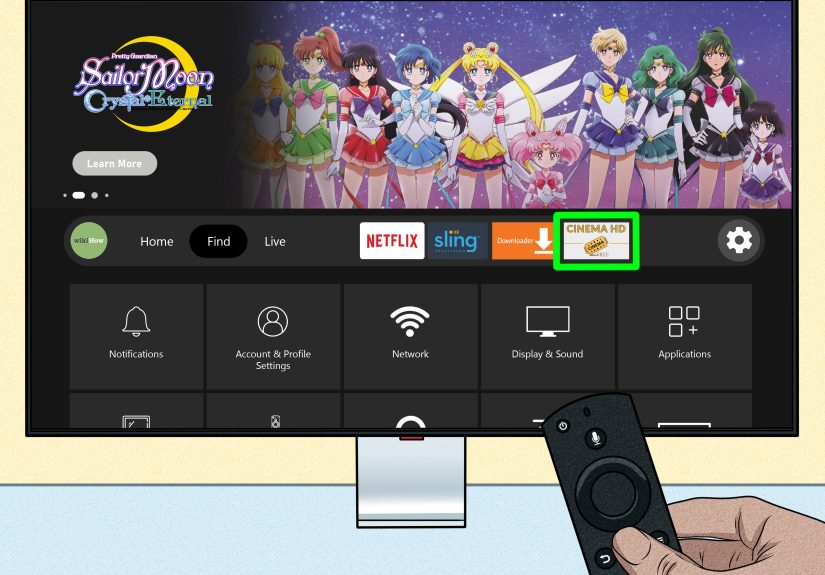
Cinema HD APK is a popular third-party video streaming application that many people try to install on devices like Amazon Fire Stick, Android TV boxes, and smartphones. It’s not available in the official Amazon Appstore or Google Play Store. Instead, users typically find the APK file on external websites and then “sideload” it onto their devices.
On the surface, the appeal is obvious:
- Large catalog of movies and TV shows.
- Minimal or no subscription fees.
- Interface that looks similar to many legitimate streaming apps.
The catch? A lot of the content available through these types of apps may not be licensed for free distribution. That puts Cinema HD firmly in the gray (and sometimes not-so-gray) zone of copyright and streaming laws, especially in the United States and other countries with strong intellectual property protections.
Is Cinema HD APK Legal to Use on Fire Stick?
Here’s where things get serious. When you’re installing any unverified streaming app, two big questions matter:
- Is the content legally licensed?
- Does this violate my device’s terms of use?
Copyright and Terms of Use
In many regions, streaming or downloading copyrighted movies and shows from unlicensed sources can violate copyright law. Even if you’re not hosting the content, accessing it through an app that doesn’t have the proper licenses may still put you at legal risk, depending on local regulations.
On top of that, Amazon’s terms of use for Fire TV devices are built around maintaining a secure ecosystem. Using unofficial, unverified apps to access potentially pirated material can clash with those terms. While your Fire Stick won’t usually explode on the spot, you are stepping outside the zone of what the manufacturer intends or supports.
Security and Privacy Risks
Beyond legality, there are real security concerns:
- Malware risk: APK files downloaded from random websites can be modified to include malicious code.
- Data privacy: Some third-party apps may collect data about your device, IP address, or viewing habits without clear disclosure.
- No official vetting: Unlike apps in the Amazon Appstore, these apps are not reviewed or checked by Amazon.
Once an app has access to your Fire Stick, it can sometimes access other parts of your home network, especially if you’ve enabled various permissions or connected shared drives and devices. That’s a lot of trust to give a random APK file.
Why You Won’t Find a Click-by-Click Install Guide Here
You might be expecting a neat list of steps like “go here, change this setting, download that file.” This is the part where a typical guide would show you how to open specific menus and toggle specific options to sideload Cinema HD.
Instead, you’re getting transparency: providing a highly detailed install guide tailored to a specific app that is widely used for unlicensed streaming would be helping people bypass legal and platform safeguards. That’s not something this article is going to do.
What we can do, though, is help you understand the implications and give you smarter options so you can enjoy your Fire Stick without constantly wondering if your movie night is walking the legal tightrope.
Safer, Legal Alternatives to Cinema HD on Fire Stick
The good news: you don’t need a sketchy APK to watch great movies and TV shows. Amazon Fire Stick has a huge ecosystem of legal, licensed apps that cover almost every kind of content you might want.
1. Subscription Streaming Services
These are the usual suspects, and they’re popular for a reason. On a Fire Stick, you can install apps like:
- Prime Video
- Netflix
- Hulu
- Disney+
- Max, Paramount+, Peacock, and more
Yes, they cost money. But they also come with:
- Licensed, high-quality content.
- Consistent performance and regular updates.
- Support and help channels when something breaks.
2. Free, Ad-Supported Streaming Apps
Not in the mood to juggle subscription fees? Fire Stick supports plenty of free, ad-supported platforms that are completely legal, such as:
- Freevee
- Pluto TV
- Tubi
- Plex (with its free streaming channels)
These services offer thousands of movies and shows at the low, low price of watching some commercials. It’s the digital version of old-school TV, but with better menus.
3. Network and Studio Apps
Many TV networks and studios have their own Fire TV apps. If you have cable or a live TV subscription, you can often log in and stream on-demand episodes legally. Think of it as unlocking extra value from services you’re already paying for.
What to Consider Before Installing Any Third-Party APK
Even if you decide not to touch Cinema HD APK, you might still be tempted to experiment with other third-party apps. Before you do, it’s smart to create a personal checklist.
1. Legal Standing in Your Region
Laws vary, but in general, streaming content you don’t have rights to can create problems. It’s your responsibility to know what’s allowed where you live. If an app promises “every movie ever” for free, that’s a massive red flag.
2. Trustworthiness of the Source
Third-party APKs are only as safe as the sites hosting them. If you’re dealing with unknown websites with aggressive pop-ups, strange download buttons, or “extra” installers, that’s a sign to back away.
A safer mindset: if an app isn’t in the official Amazon Appstore, ask why. Sometimes the reason is harmless (beta testing, niche tools). But when it comes to streaming copyrighted content, the reason is often legal and serious.
3. Impact on Device Performance
Unverified apps can:
- Slow down your Fire Stick.
- Crash more often than official apps.
- Stop working abruptly when their servers or links disappear.
That means you don’t just risk legal or security issuesyou also risk turning your “relaxing movie night” into a “why is nothing working” night.
Responsible Streaming on Amazon Fire Stick
If you’re mainly interested in watching content you already own (like personal videos or legitimately purchased files), you don’t need something like Cinema HD APK. Instead, you can:
- Use media server apps to stream from your computer or NAS.
- Upload home videos and personal content to trusted cloud services with Fire TV apps.
- Rely on official tools that are designed for personal media playback.
These approaches give you the flexibility of streaming without wandering into the gray area of unlicensed content libraries.
Real-World Experiences with Third-Party Streaming Apps
To understand why so many tech-savvy users eventually walk away from apps like Cinema HD, it’s useful to look at real-world experiencespatterns that come up over and over again.
“It Worked Great… Until It Didn’t”
A common story goes like this: someone installs a third-party streaming app, is amazed at the amount of content, and proudly tells friends they’ve “cut the cord forever.” Then a few weeks later, links stop working, streams buffer constantly, or entire sections of the app vanish.
Why does this happen? These apps often rely on unstable, unofficial sources. When a host shuts down, changes domains, or gets blocked, your app suddenly has a lot less to show you. Because there’s no official support team or customer service, you’re on your own to troubleshootor to hunt for yet another app that “still works.”
Buffering, Quality Swings, and Broken Subtitles
Another common complaint is inconsistency. One night, a movie plays in HD without a hiccup. The next night, the same app delivers a lower-quality stream that stutters every 30 seconds. Subtitles might be out of sync, or the audio track might be in the wrong language with no reliable way to fix it.
With licensed apps, you can usually expect a baseline quality standard, plus updates that fix bugs and improve streaming. With third-party tools, you’re betting on volunteers or small teams who may disappear just as quickly as they appeared.
Security Scares and Suspicious Behavior
Some users report that, after installing questionable APKs, their Fire Stick runs hotter, reboots randomly, or shows strange behavior like unfamiliar apps appearing in their library. Others notice that their home internet feels slower or that their router logs show an unusual amount of outbound traffic from the device.
While not every odd glitch is caused by malware, the combination of unofficial apps, unknown code, and broad permissions creates a risk profile that simply doesn’t exist when you’re using only vetted, official streaming apps.
The Stress Factor
There’s also a mental load that comes with relying on gray-area software. You might find yourself:
- Constantly hunting for “new working versions” or updated builds.
- Reading long forum threads to fix broken links or error messages.
- Wondering if your ISP, content providers, or device manufacturer will crack down on unlicensed apps.
Compare that to installing a few legal streaming apps, logging in, and knowing that when you press play, things will generally just work. Peace of mind is an underrated feature.
Why Many Users Eventually Go Back to Official Apps
A pattern emerges: people experiment with Cinema HD-style apps out of curiosity or a desire to save money. Over time, the mix of instability, legal worry, and security concerns pushes them back toward official services, even if that means paying for one or two subscriptions or relying more on free, ad-supported platforms.
In other words, the supposed “free forever” solution can end up being more expensive in time, stress, and potential risk than just using the tools Amazon and major streaming providers already give you.
Conclusion: Smart Choices Beat Secret Shortcuts
Searching for “how to install Cinema HD APK on Amazon Fire Stick (2023)” usually means you’re trying to get more content for less money, with as little hassle as possible. That’s completely understandable. But it’s worth balancing that desire with a clear look at the legal, security, and reliability issues that come with third-party streaming apps.
Instead of chasing unstable APKs and gray-area streaming options, consider building a setup using:
- One or two carefully chosen subscription services.
- Free, legal, ad-supported apps that expand your library.
- Personal media solutions for content you own and control.
Your Fire Stick will be more reliable, your streaming habits will be on safer legal ground, and movie night will feel a lot more like a breakand a lot less like “tech support after dark.”