Table of Contents >> Show >> Hide
- Why your PS5 keeps turning off in the first place
- How to Stop Your PS5 from Turning Off Randomly: 10 Fixes
- 1. Do a full power cycle first
- 2. Check the power cable and use a direct wall outlet
- 3. Move the PS5 where it can actually breathe
- 4. Clean dust from the vents and fan area
- 5. Update your PS5 system software
- 6. Update or reinstall the game that seems to trigger the shutdown
- 7. Turn off Rest Mode temporarily
- 8. Disable HDMI Device Link
- 9. Use Safe Mode to clear cache and rebuild the database
- 10. Reset the system or contact PlayStation repair
- When random shutdowns point to a more serious hardware problem
- A smart troubleshooting order that saves time
- Final thoughts
- Real-world experiences with a PS5 that turns off randomly
- SEO Tags
Your PS5 should be helping you defeat bosses, not impersonating one by shutting down in the middle of a fight. If your console keeps turning off randomly, you are probably dealing with one of a few usual suspects: overheating, unstable power, a software glitch, or a feature that is acting less like a convenience and more like a gremlin.
The good news is that random PS5 shutdowns are often fixable without immediately jumping to the “well, I guess I live in sadness now” stage. In many cases, a smart cleanup, a settings change, or a quick trip through Safe Mode is enough to get your console behaving again. The trick is to troubleshoot in the right order instead of wildly turning settings on and off like you are cracking a code in a spy movie.
This guide walks you through 10 practical fixes for a PS5 that turns off randomly, plus a deeper look at what the shutdowns usually mean, when to worry about hardware trouble, and what real users often notice before the console gives up mid-game.
Why your PS5 keeps turning off in the first place
Before you start fixing the problem, it helps to know what you are actually trying to fix. A PS5 that shuts off randomly usually falls into one of these buckets:
- Heat problems: Dust, blocked vents, cramped cabinets, direct sunlight, or poor airflow can make the console run too hot.
- Power issues: A loose cable, a weak outlet, an overloaded power strip, or inconsistent power delivery can interrupt the console.
- System or game glitches: Corrupt cache, database issues, outdated firmware, or one misbehaving game can cause crashes that look like power failures.
- Feature conflicts: Rest Mode and HDMI Device Link can sometimes trigger weird startup, sleep, or shutdown behavior.
If your PS5 turns off only during demanding games, overheating is high on the suspect list. If it shuts off even in menus or shortly after startup, power or hardware trouble becomes more likely. If it mostly happens with one title, the game itself might be the drama queen.
How to Stop Your PS5 from Turning Off Randomly: 10 Fixes
1. Do a full power cycle first
Start simple. Turn the PS5 off completely, not into Rest Mode. Let the power light go out, unplug the console from the wall, wait a few minutes, then plug it back in and restart it. This can clear temporary glitches and is often the fastest fix for weird shutdown behavior after a crash or failed wake-up from sleep.
A full power cycle is especially useful if the console got stuck in Rest Mode, shut down abruptly once, or boots back up with a storage repair message. Think of it as the digital equivalent of telling your PS5 to take a breath and get its life together.
2. Check the power cable and use a direct wall outlet
This is one of those boring fixes that people skip because it feels too obvious. Unfortunately, obvious problems are still problems. Make sure the power cable is firmly connected at both ends and does not show any visible damage, looseness, fraying, or bent connectors.
Then plug the PS5 directly into a reliable wall outlet for testing. If you normally use a crowded power strip, extension cord, or overloaded surge protector, remove that variable. A console that does not get stable power can shut down like someone yanked the curtain mid-performance.
If the issue disappears when connected directly to the wall, your console may be fine and your power setup may be the real troublemaker.
3. Move the PS5 where it can actually breathe
The PS5 needs space around it. If your console is wedged into a tight media cabinet, pressed against a wall, resting on carpet, or stacked next to other warm electronics, heat has nowhere to go. That is bad news for a machine that already works hard during modern games.
Move the console to an open, well-ventilated area. Keep clear space around the sides and back. Avoid direct sunlight. Do not shove it inside a closed TV stand and hope for the best. Hope is not a cooling system.
Both vertical and horizontal placement can work well when the console is properly supported and has room for airflow. What matters most is ventilation, not internet mythology.
4. Clean dust from the vents and fan area
Dust is one of the most common reasons a PS5 shuts off while playing. Even if the outside looks clean, dust can collect in the vent paths and around the cooling fan. That trapped debris makes the console work harder to stay cool, and when it cannot manage the temperature, it may shut itself down to protect its hardware.
Start with the safe basics: power the console off completely, unplug it, and gently clean the exterior vents. Use compressed air or a soft brush to remove dust. Keep the nozzle controlled and avoid blasting moisture into the unit.
If you are comfortable doing a more thorough cleaning, you can remove the side plates and clean the fan area more carefully. Just be smart about it. If your console is still under warranty, you do not want to get reckless with tools and turn a maintenance job into a regret hobby.
5. Update your PS5 system software
Firmware bugs can absolutely cause stability issues. If your PS5 system software is out of date, install the latest update. Sony regularly pushes updates that improve performance, security, and system behavior. A console that randomly powers off after a software hiccup may simply need a newer system build.
Go into system settings and check for updates. If the normal update path is not working, you can also update the system through Safe Mode using a USB drive. That option is useful when the console behaves badly during startup or standard menus.
This is also a good time to restart after the update and test the console with the same game or workload that usually triggers the shutdown.
6. Update or reinstall the game that seems to trigger the shutdown
If your PS5 only turns off during one game, do not immediately blame the console itself. Some shutdowns that look like hardware failure are actually game crashes, corrupted installs, or title-specific bugs. Check for a game update first.
If the game is fully updated and still seems cursed, back up your save if needed, delete the game, and reinstall it. Then test again. Also compare the behavior with other games. If three different PS5 titles run fine and one specific game crashes the system every time, that is a giant clue.
This step is underrated. People love to assume their console is dying when sometimes one game is just being dramatic.
7. Turn off Rest Mode temporarily
Rest Mode is handy. It charges controllers, keeps downloads moving, and lets you jump back into games quickly. It can also be a source of strange behavior on some systems. If your PS5 randomly shuts down, fails to wake properly, or complains after sleep, disable Rest Mode for now and test the console for a few days.
This is not necessarily a forever change. It is a troubleshooting step. If the shutdowns stop once Rest Mode is disabled, you have narrowed the issue down significantly. You can decide later whether to re-enable it after other fixes, updates, or system cleanup.
Convenience is great. Stability is greater.
8. Disable HDMI Device Link
HDMI Device Link, also known as HDMI-CEC behavior on many TVs, lets your console and display talk to each other. In theory, this is wonderful. In practice, it can sometimes cause the PS5 to turn on, sleep, or shut down in ways that make you question your household electronics.
If your PS5 powers off when the TV changes state, acts weird after switching inputs, or seems to enter Rest Mode unexpectedly, disable HDMI Device Link in the system settings and test again.
This fix is especially useful when the shutdowns feel random but happen around TV power events, receiver changes, or input switching. Your console may not be haunted. It may just be overcommunicating.
9. Use Safe Mode to clear cache and rebuild the database
When your PS5 feels unstable, Safe Mode is one of the best places to troubleshoot without going nuclear. Start the console in Safe Mode, then use the option to clear system cache and rebuild the database. This can help with performance issues, glitches, corrupted indexing, and general software weirdness.
Rebuilding the database does not delete your games or saves. It reorganizes system data so the PS5 can find and manage content more cleanly. If your console crashes after updates, shows odd menu behavior, or restarts into repair screens, this fix is absolutely worth trying.
It is not magic, but it is one of the most useful middle-ground fixes before you consider a reset.
10. Reset the system or contact PlayStation repair
If none of the previous fixes work, you are in last-resort territory. First, back up anything important. Then consider restoring defaults or fully resetting the console. If the system software itself is corrupted, a clean reinstall can solve problems that no ordinary settings tweak will touch.
However, if your PS5:
- turns off across multiple games,
- shuts down shortly after startup,
- gets hot very quickly,
- will not stay powered on long enough to test, or
- keeps repeating the same failure after resets and cleaning,
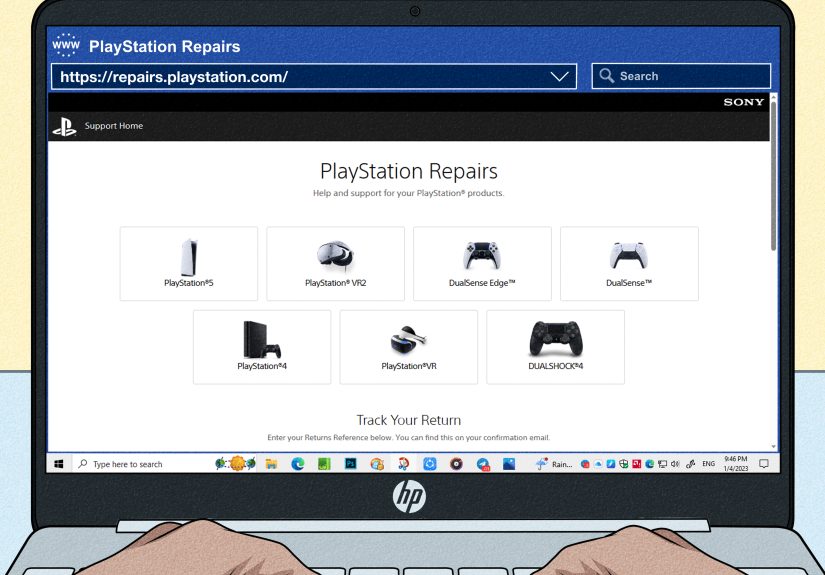
then it is time to stop experimenting and move to professional support. Sony’s repair path exists for a reason. At that stage, you are no longer troubleshooting a moody console. You are likely dealing with a deeper hardware issue.
When random shutdowns point to a more serious hardware problem
Not every random shutdown is fixable with airflow and settings. Sometimes the issue points to something more serious, such as a failing power supply, cooling failure, internal dust buildup that is deeper than surface cleaning can solve, or another hardware fault.
Pay closer attention if your PS5 starts turning off faster over time, shuts down even when idle, refuses to power back on without repeated tries, or always needs a repair screen after boot. Those patterns usually mean the problem is progressing, not resolving.
Another red flag is when the console behaves differently with PS5 games versus lighter tasks. For example, if streaming apps seem fine but demanding games kill the system in 15 minutes, heat load is likely involved. If it dies no matter what you are doing, power or hardware trouble moves up the list.
A smart troubleshooting order that saves time
- Power cycle the console.
- Check the cable and test a wall outlet.
- Improve airflow and move the console.
- Clean dust from vents and fan access areas.
- Update system software.
- Update or reinstall the affected game.
- Disable Rest Mode.
- Disable HDMI Device Link.
- Use Safe Mode to clear cache and rebuild the database.
- Reset or seek repair if the issue continues.
That order works because it starts with the easiest, safest fixes and saves the more disruptive steps for later. In other words, do not factory reset your PS5 just because the cable was loose. Your future self will not find that funny.
Final thoughts
If your PS5 keeps turning off randomly, do not panic. Most cases come down to heat, power, or software. That means many shutdown problems can be solved at home with a cleaner setup, a better power connection, a few settings changes, and a Safe Mode cleanup.
The biggest mistake is ignoring the early warning signs. A console that shuts off once in a while today may become a console that shuts off every match next week. So clean it, update it, test it properly, and do not keep forcing it through marathon sessions in a hot cabinet like it owes you rent.
Once you work through the fixes above, you should have a much better idea whether your PS5 needed a quick tune-up or a professional repair. Either way, you are no longer guessing, and that is half the battle.
Real-world experiences with a PS5 that turns off randomly
One of the most common experiences people describe is that the shutdowns do not begin dramatically. At first, the PS5 may power off only once during a long gaming session, usually while playing a demanding PS5 title. Because it happens after an hour or two, many players shrug it off and assume it was a fluke. Then it happens again, only faster. Soon the console can make it through menus and cutscenes, but the moment the game gets graphically intense, black screen, silence, and instant irritation.
Another pattern is the “everything seems fine until I play PS5 games” experience. Some users notice that media apps, indie games, or older PS4 titles run normally, while newer PS5 releases trigger shutdowns much more often. That usually points people toward heat buildup, because the system is only failing under a heavier workload. In everyday language: the console can jog, but it cannot sprint.
Many owners also report that the outside of the console does not even look especially dirty. The vents may seem clean, the room may not feel hot, and the fan noise may seem normal. But once they remove the side plates and inspect more carefully, they often find dust collecting around the fan path or deeper inside the console. This is why random shutdowns can feel confusing. The machine may not look like it has a cooling problem until you get a closer look.
Some experiences are less about heat and more about strange system behavior. A PS5 may shut off, reboot, then show a storage repair message. Or it may act oddly after waking from Rest Mode, as if it never fully decided whether it was asleep or awake. In those cases, players often find that disabling Rest Mode or rebuilding the database makes a noticeable difference. It is not as satisfying as a dramatic “I removed one giant dust bunny and saved the day” moment, but software cleanup can be just as important.
There is also the TV-related experience: the console behaves strangely when the television turns on, turns off, or switches inputs. For some people, the culprit turns out to be HDMI Device Link. Once disabled, the shutdowns or odd sleep transitions stop. It feels almost unfair when the problem is not the console itself, but the conversation between the console and the TV.
And then there is the most frustrating experience of all: trying random fixes in random order. That usually wastes time and makes the problem harder to diagnose. The people who solve the issue fastest are usually the ones who test methodically. They change one variable, use the console normally, and see what happens. Boring? Yes. Effective? Also yes. When your PS5 is randomly turning off, patience is not glamorous, but it is often what gets you back into the game.