Table of Contents >> Show >> Hide
- Why the IRS Online Refund Tracker Is the Best Place to Start
- What You Need Before You Check Your Refund Status
- How To Trace Your Tax Refund Status Online With the IRS, Step by Step
- How Long Does an IRS Refund Usually Take?
- Top Reasons Your Refund Status May Be Delayed
- What To Do If the IRS Says Your Information Does Not Match
- How Often Should You Check Your Refund Status?
- What If You Filed an Amended Return?
- Federal Refund vs. State Refund: Do Not Mix Them Up
- When You Should Call Instead of Checking Online
- How To Avoid Tax Refund Tracking Scams
- Common Taxpayer Experiences When Tracing an IRS Refund Online
- Final Takeaway
Waiting for a tax refund can turn even the calmest adult into someone who refreshes a government webpage like it’s the final minutes of a championship game. The good news? Tracking your federal tax refund online is actually pretty simple when you know which IRS tool to use, what information to enter, and when to stop checking every eleven minutes.
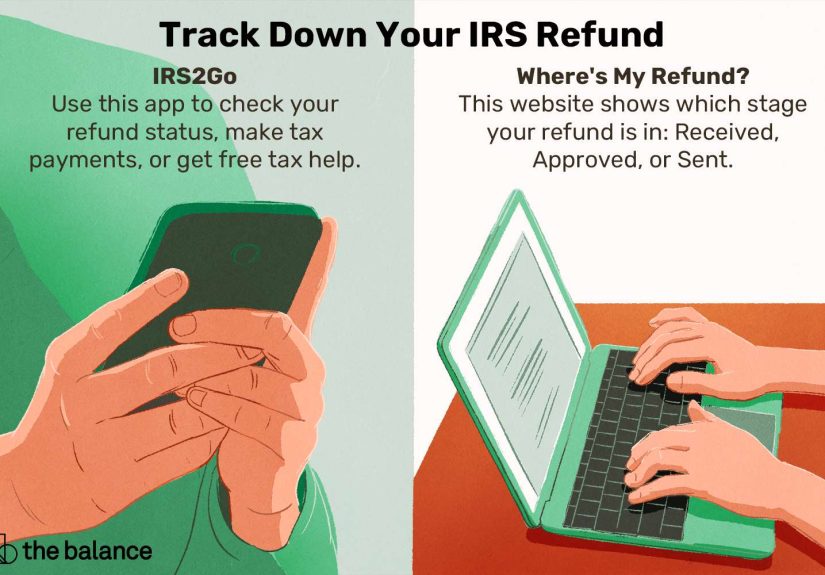
If you want the quickest way to trace your tax refund status online with the IRS, the answer is the Where’s My Refund? tool on IRS.gov or the official IRS2Go app. Both are designed to show your current refund status without forcing you into an endless phone tree or a dramatic hold-music spiral. This guide breaks down exactly how to use the tool, what the refund messages mean, why your money may be delayed, and what to do if the tracker gives you absolutely nothing but attitude.
Why the IRS Online Refund Tracker Is the Best Place to Start
If your goal is to trace your tax refund status online with the IRS, start with the official tracker before you call anyone, email anyone, or ask your cousin who “knows taxes.” The IRS updates its refund tracking system regularly and uses it as the main public-facing status tool for individual taxpayers. In plain English: if there is useful refund information available, this is where it usually shows up first.
The tracker is especially helpful because it gives you more than a generic “processing” message. It can show whether your return was received, whether your refund was approved, and whether the payment has been sent. That means you can tell the difference between “the IRS has your return,” “the IRS is done with it,” and “your bank is now the bottleneck.” Those are three very different emotional experiences.
What You Need Before You Check Your Refund Status
Before you hop online, gather the details the IRS asks for. The tracker is picky in the way only tax software can be picky, so small mistakes matter.
Have these three things ready:
- Your Social Security number or ITIN
- Your filing status, such as single, married filing jointly, or head of household
- Your exact refund amount in whole dollars, exactly as shown on your tax return
That last item trips up a lot of people. Use the exact whole-dollar refund amount from the return you filed. Do not estimate. Do not round from memory. Do not use the amount you wish you were getting after a rough grocery run. The IRS wants the number from your return, not your hopes and dreams.
How To Trace Your Tax Refund Status Online With the IRS, Step by Step
Step 1: Wait until the IRS has had time to load your return
The refund tracker is not magical. It needs time. If you check too early, the system may tell you your information does not match its records or simply show no status yet.
As a general rule, you can usually start checking:
- About 24 hours after e-filing a current-year return
- About 3 days after e-filing a prior-year return
- About 4 weeks after mailing a paper return
If you filed on paper and try checking a week later, you are basically asking the IRS to reveal secrets it has not had time to sort yet. Paper returns move slower, so patience matters.
Step 2: Go to the official IRS refund status tool
Use the refund tracker on the IRS website or the IRS2Go mobile app. If you are tracing your refund online, stick with official IRS channels. Avoid random “refund lookup” sites, weird text links, or flashy pages claiming they can unlock secret refund information. The tax internet gets scammy fast.
Step 3: Enter your information carefully
Type in your Social Security number or ITIN, choose the filing status you used on the return, and enter the exact refund amount. One typo can cause the system to reject your lookup. That means double-checking what you entered before assuming the IRS has lost your identity in a digital drawer.
Step 4: Read the status message correctly
The IRS refund tracker usually shows one of three main messages:
- Return Received: The IRS has your return and is processing it.
- Refund Approved: The IRS has finished processing the refund and is preparing to send it.
- Refund Sent: The refund has been issued, either by direct deposit or by mailed check.
That middle stage matters. A return being accepted or received does not mean the refund has been approved yet. It just means your return is in the system. “Approved” is the moment where the IRS is essentially saying, “Yes, the money is real.”
How Long Does an IRS Refund Usually Take?
Most federal refunds are issued within about 21 days if you e-file and choose direct deposit. That is the fastest route by a country mile. If you file a paper return, or if there is any issue with your return, the timeline can stretch well beyond that.
Even after the IRS marks a refund as sent, your bank may still need a couple of business days to post the direct deposit. So if the tool says the refund was issued and your account still looks lonely, your bank may simply be moving at normal bank speed, which is slightly faster than a turtle wearing loafers.
There are also special cases. For example, returns claiming the Earned Income Tax Credit or the Additional Child Tax Credit can be delayed by law until at least mid-February. So if you filed early and claimed those credits, a slower update does not automatically mean something is wrong. It may just mean the calendar is doing what the calendar does.
Top Reasons Your Refund Status May Be Delayed
If your tax refund status is taking longer than expected, there is usually a reason. Not always a fun reason, but a reason.
1. There is an error or missing information on your return
Simple mistakes can slow everything down. Missing forms, math errors, incorrect Social Security numbers, or income that does not line up with what employers and payers reported can all trigger delays. A tiny mismatch can send your refund from “on the way” to “please wait while humans investigate.”
2. The return needs manual review
Some returns get flagged for identity verification, fraud screening, or other review steps. This does not automatically mean you did anything wrong. It just means the return could not move through the IRS system on autopilot.
3. You mailed a paper return
Paper returns are slower to process than e-filed returns. If speed matters to you next season, e-file plus direct deposit is your best friend.
4. Your banking information has an issue
If you entered the wrong routing number or account number, the refund may be delayed or sent back. That can turn a simple direct deposit into a paperwork side quest you did not ask for.
5. You claimed refundable credits that have extra timing rules
Again, EITC and ACTC claims often move on a different timeline early in the filing season. That delay is baked into the process.
What To Do If the IRS Says Your Information Does Not Match
This is one of the most common refund-tracker frustrations. You enter your information, feel very sure of yourself, and the IRS responds like you are an impostor in your own financial biography.
Before you panic, check these things:
- Make sure you are using the correct filing status from the actual return
- Use the exact refund amount shown on the return in whole dollars
- Confirm that enough time has passed since filing
- Check whether you are trying to look up a paper return too early
In many cases, the mismatch message is not a sign of disaster. It just means the IRS system has not finished loading your information yet, or one small detail was entered incorrectly.
How Often Should You Check Your Refund Status?
Once a day is enough. Really. The IRS updates the refund tracker about once every 24 hours, usually overnight. Checking it fifteen times before lunch will not speed anything up. It will, however, make you feel like you are trapped in a highly specific tax-themed episode of a reality show.
Use the tool once a day, preferably at a calm hour, and move on with your life until the next update window.
What If You Filed an Amended Return?
An amended return is a different animal. If you filed Form 1040-X, do not expect the regular Where’s My Refund? tool to tell the whole story. You should use Where’s My Amended Return? instead.
Amended returns usually take longer than standard refunds. In general, you may be able to start checking the amended return status around three weeks after filing, and the processing timeline often runs around 8 to 12 weeks, though some cases take longer. So if your amended return feels slow, that does not necessarily mean it is lost. It may simply be moving through a more complicated lane.
Federal Refund vs. State Refund: Do Not Mix Them Up
This is important: the IRS can only track your federal tax refund. If you are also waiting on a state refund, you will need to check that through your state tax agency. Many taxpayers think the federal tracker should show both, but that is not how the system works.
So if your federal refund says “sent” and your state refund is nowhere to be found, that is not a federal mystery. That is a state-level follow-up.
When You Should Call Instead of Checking Online
The online tool is usually enough, but there are times when calling makes sense. Consider escalating if:
- It has been more than 21 days since you e-filed and there is still no meaningful update
- It has been six weeks or more since you mailed a paper return
- The tracker specifically tells you to contact the IRS
- Your refund was sent, but you never actually received it
The IRS automated refund hotline can provide the same general status information as the online tool, but if the issue is more complex, you may need a representative or a refund trace. In some cases, the IRS may ask you to complete Form 3911 to start tracking a missing refund payment.
How To Avoid Tax Refund Tracking Scams
Tax season attracts scammers like porch lights attract moths. If you get a text, email, or social message claiming you need to click a link to “release” or “confirm” your refund, stop right there.
Smart refund-tracking safety rules:
- Use official IRS channels only
- Look for .gov websites
- Do not click refund links from unexpected texts or emails
- Do not share personal information with unofficial “refund agents”
- Ignore promises of bigger or faster refunds from shady sites
If a message sounds urgent, threatening, or weirdly excited to help with your refund, that is your cue to back away slowly and use IRS.gov instead.
Common Taxpayer Experiences When Tracing an IRS Refund Online
Here is where the process gets very human. The technical steps are easy, but the real-world experiences around refund tracking are all over the place. One common experience is the early e-filer who checks the tracker the next morning and sees “Return Received.” Great start. Two days later, still received. Four days later, still received. By day six, they are convinced the IRS has personally chosen them for suffering. Then the status flips to “Refund Approved,” and the money lands a few days later. Moral of the story: a few quiet days on the tracker is normal.
Then there is the paper filer. This person mails the return, feels productive, and starts checking online a week later. The tool says the information does not match. Panic enters the chat. In reality, the paper return likely has not been processed into the system yet. This is one of the most common frustration points, and it usually comes down to timing, not disaster.
Another familiar story is the credit claimer who files early and claims the Earned Income Tax Credit or Additional Child Tax Credit. They see other people talking about refunds hitting accounts, but their own status looks stuck. That experience can feel alarming until they realize those credits often move under special timing rules. In other words, the refund is not necessarily delayed in a bad way. It is delayed in a legally built-in way.
There is also the tiny typo victim. This taxpayer enters the wrong filing status, leaves off a digit, or types the refund amount from memory instead of from the return. The tracker rejects the lookup, and suddenly it feels like a bureaucratic identity crisis. Usually, the fix is simple: go back to the filed return, use the exact information shown there, and try again carefully.
One of the more stressful experiences involves the bank account issue. The refund tracker says “sent,” but the money does not arrive when expected. Sometimes the bank needs extra time. Other times, the routing or account number was wrong, and the refund gets kicked back into a slower correction process. That situation is frustrating because the IRS part may actually be done, while the payment side is still unraveling.
And finally, there is the amended return marathon. Anyone who files Form 1040-X quickly learns that this is not a speed event. The amended-return tracker may take weeks to show progress, and the entire process can stretch much longer than a standard refund. The experience often feels like watching paint dry in a government office. Yet even there, the separate amended-return tool helps by giving taxpayers a place to check status without guessing in the dark.
All of these experiences point to the same takeaway: tracing your tax refund online with the IRS is usually straightforward, but the emotional ride varies wildly depending on how you filed, what credits you claimed, whether your return was clean, and whether the banking details were perfect. The trick is knowing which delays are normal, which messages matter, and when it is time to move from refreshing a webpage to actually contacting the IRS.
Final Takeaway
If you want to trace your tax refund status online with the IRS, use the official Where’s My Refund? tool or the IRS2Go app, enter your information exactly as it appears on your return, and check once a day instead of spiraling hourly. For most taxpayers, that is the fastest and easiest way to see whether the refund has been received, approved, or sent.
And if the status is slower than you hoped? Do not assume the worst. Sometimes the return is still processing. Sometimes a credit has its own timetable. Sometimes the IRS just needs more time to move your money from tax-season purgatory into your bank account. Glamorous? No. Traceable? Yes.