Table of Contents >> Show >> Hide
- Why Cable Got So Expensive (Even Before You Turned It On)
- Step One: We Audited Our Viewing Habits (AKA “Do We Even Watch This?”)
- Step Two: We Built a “Cable Replacement” That Fits Real Life
- The Gear We Actually Needed (Spoiler: Not Much)
- Our Cord-Cutting Plan (The Exact Steps We Followed)
- What We Pay Now (And How the Savings Add Up)
- Sports and News: The Two Things That Try to Drag You Back
- Internet Matters More Than Ever (But You Don’t Need a Rocket Ship)
- Free (and Surprisingly Good) Options We Wish We’d Used Sooner
- The Biggest Cord-Cutting Mistakes (So You Can Skip the Headaches)
- Our 30-Day Cord-Cutting Diary (About of Real-Life Lessons)
- Conclusion: The Real Secret to Saving Hundreds
Our cable bill didn’t jump overnight. It crept. Like a raccoon learning how to open your trash can: one small victory at a time until suddenly it’s in your kitchen eating your cereal and charging you a “Broadcast TV Fee.”
The final straw wasn’t even the price (okay, it was absolutely the price). It was the feeling that we were paying a premium monthly fee to watch: (1) the same five channels on repeat, (2) commercials that could double as a light cardio session, and (3) a DVR that behaved like it was powered by a sleepy hamster.
So we did the grown-up thing: we opened a spreadsheet, made coffee, and asked one life-changing question: “What do we actually watch… and what are we paying for that we don’t?”
What happened next was surprisingly painless (with one brief moment where we yelled “WHY IS THERE NO INPUT BUTTON” at the remote). And yes, we saved hundreds.
Why Cable Got So Expensive (Even Before You Turned It On)
Cable bills are famous for two things: bundling and “mysterious add-ons.” You sign up for a promo price, and a few months later you’re paying extra for things you didn’t ask forlike additional TV boxes, “HD service,” and fees that sound like they were invented during a committee meeting called Project: Confuse Everyone.
Hidden fees: the bill’s jump-scare section
Even if you never rent a movie or add premium channels, cable bills often include line items for retransmission costs (local channels) and sports programming, plus equipment rentals. The total can balloon fastespecially if you have multiple TVs and each one needs its own box.
The big problem isn’t only cost; it’s lack of control. You pay for a huge bundle because one person in the household insists they “need” two specific channels. Meanwhile, everyone else is watching streaming originals, YouTube, or the same comfort sitcom for the 47th time.
Step One: We Audited Our Viewing Habits (AKA “Do We Even Watch This?”)
Before canceling anything, we did a one-week “TV diary.” Nothing fancyjust a notes app list:
- What we watched
- Where we watched it
- Whether it was live (sports/news) or on-demand (shows/movies)
Here’s what we learned:
- Local channels mattered for big events, weather, and occasional live broadcasts.
- Sports was the hardest category (and the one most likely to bully you back into cable).
- On-demand made up most of our actual viewing time.
- We were paying for a pile of channels we never touched.
Step Two: We Built a “Cable Replacement” That Fits Real Life
Cord-cutting isn’t one single productit’s a setup. Think of it like building a taco: you pick a base, add toppings, and avoid the ingredient that makes you regret your choices (for us, that ingredient was “paying for 200 channels”).
The three building blocks
- Local TV (often free with an antenna)
- On-demand streaming (your Netflix/Disney+/etc. category)
- Live TV streaming (optional, for sports/news superfans)
The Gear We Actually Needed (Spoiler: Not Much)
You can cut the cord with almost any modern TV, but the right basics make everything smoother. Here’s what mattered in our house:
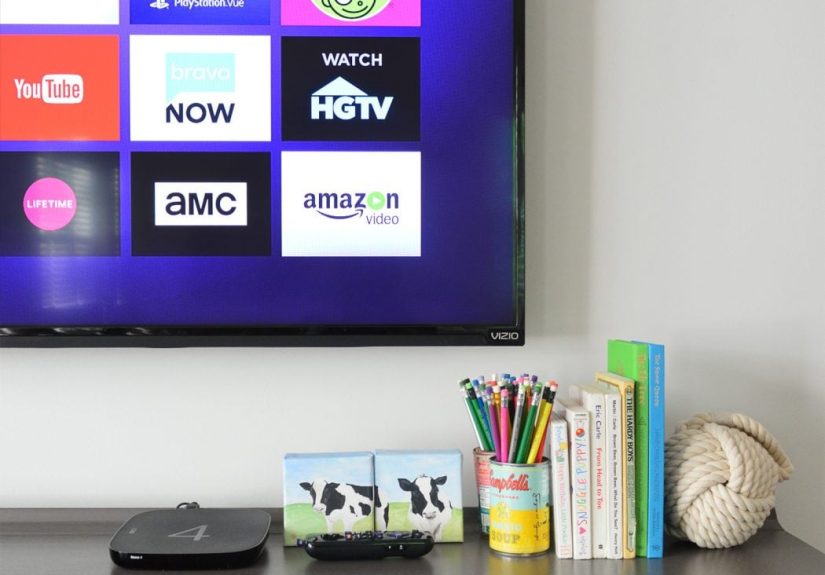
1) A streaming device (or a smart TV that isn’t painfully slow)
Smart TVs are convenient until the software updates arrive at the speed of a fax machine. A dedicated streaming device can be faster, more stable, and easier to replace than an entire television.
2) A TV antenna for free local channels
This was the shocker: we got a bunch of channels for free. Local stations often broadcast over-the-air in digital quality, and an antenna can pull them in depending on your location, home layout, and signal strength.
Pro tip: before buying, check a reception map tool to see what channels are likely available where you live. It saves you from buying a “300-mile antenna” (which is usually marketing poetry, not physics).
3) Internet that matches your streaming reality
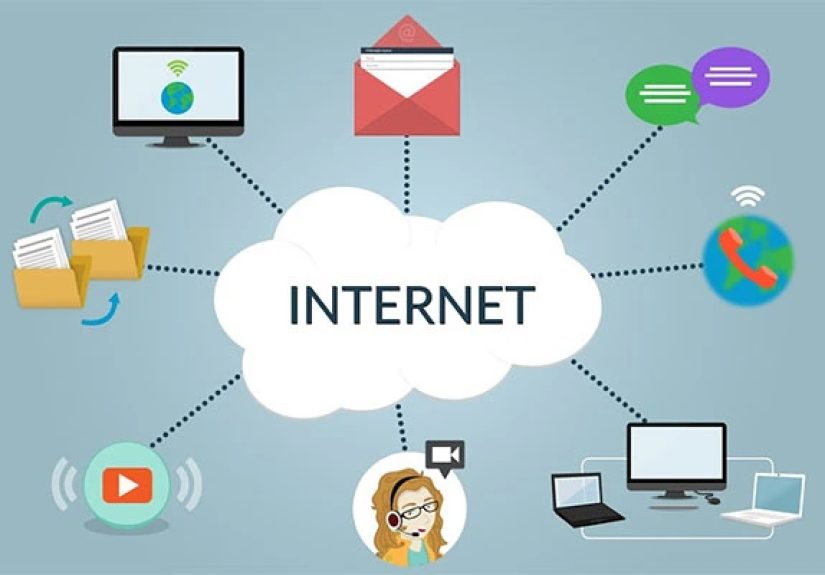
Once you cut cable, your internet becomes the main pipeline. The good news: you don’t necessarily need a monster planjust a stable connection with enough speed for your household size and streaming quality.
Our Cord-Cutting Plan (The Exact Steps We Followed)
Step 1: Cancel the TV portion, keep the internet (at first)
We didn’t cancel everything at once. We separated the problems. First: ditch the cable TV plan. Second: deal with internet pricing and equipment rentals after we stabilized the entertainment side.
Step 2: Get local channels the simple way
We installed an antenna and did a channel scan on the TV. Then we rescanned later (yes, rescanning is a thing) because stations sometimes change frequencies. If you use an antenna, it’s worth rescanning periodically so you don’t miss channels that shifted.
Step 3: Pick one “anchor” streaming service
This is the subscription you’ll keep most of the year because it fits your household’s taste. For some families it’s Netflix; for others it’s Disney+, Max, or Hulu. The point is to pick one main service firstnot six.
Step 4: Add free streaming to pad your choices
Free ad-supported streaming (often called FAST) is the unsung hero of cord-cutting. It’s not always the newest prestige show, but it’s perfect for background TV, throwback series, kids’ content, and “I just need something on while I fold laundry.”
Step 5: Use the “rotation rule” to avoid streaming creep
Streaming creep is when you cancel cable… and then quietly subscribe to so many services that you recreate cable, but with more passwords. Our rule: no more than two paid services at a time (one anchor + one rotating).
We rotate monthly or quarterly based on what we want to binge. Watch the show, cancel, move on. It’s oddly empoweringlike Marie Kondo for subscriptions.
What We Pay Now (And How the Savings Add Up)
Your numbers will vary, but here’s a realistic “post-cable” structure that keeps options wide without rebuilding an expensive bundle:
| Category | Example Choice | Typical Monthly Cost |
|---|---|---|
| Local channels | Over-the-air antenna | $0 |
| Anchor streaming | One major on-demand service | $8–$25 |
| Rotating streaming | Swap based on what’s hot | $8–$25 |
| Free streaming | FAST apps | $0 |
| Optional live TV | Only if you truly need it | $40–$85+ |
We skipped live TV streaming most months because our antenna covered locals, and on-demand covered almost everything else. When we did add a live service (sports season, big events, travel weeks), we treated it like the rotating slot: add it, use it hard, cancel it.
Sports and News: The Two Things That Try to Drag You Back
Local news
If local news is important, start with your antenna. Many people can get major broadcast networks over the air in crisp digital quality. For everything else, plenty of news clips and live streams exist in apps, on websites, or through free streaming channels.
Live sports
Sports is where cord-cutting becomes a strategy game. Some events are on broadcast networks (antenna-friendly). Some live behind cable-style bundles. Some are split across league apps, network apps, and streaming exclusives.
Our approach:
- Start with must-have teams/leagues. Write them down. Be honest.
- Check what’s on broadcast. You may already have more than you think via antenna.
- Use seasonal subscriptions. Don’t pay year-round for a sport you watch 4 months a year.
- Beware “regional sports” traps. This is where cable fees often explodeand streaming can still be complicated.
Internet Matters More Than Ever (But You Don’t Need a Rocket Ship)
Streaming quality depends on both speed and stability. If you live alone and stream in HD, you may not need a premium tier. If you’ve got multiple people streaming simultaneously (plus gaming, video calls, and smart devices), you’ll want more headroom.
Two practical tips that saved us real money
- Stop renting your modem/router if you can. Rentals can add up over a year faster than you’d expect.
- Check your streaming quality settings. If you’re not actually seeing a difference between 4K and HD on a smaller TV from across the room, don’t pay extra for 4K tiers “just because.”
Data caps: the sneaky villain (for some households)
If your internet plan has a data cap, heavy streaming can matter. Video quality affects data use a lot. If you’re close to a cap, lowering the default streaming quality can prevent surprise chargesand you may not even notice the difference on everyday shows.
Free (and Surprisingly Good) Options We Wish We’d Used Sooner
We assumed “free streaming” meant grainy videos and pop-up ads from 2007. It doesn’t. Free ad-supported streaming has matured, and it’s a great way to expand your library without expanding your bill.
Library streaming: the classy loophole
If you have a public library card, check whether your library offers streaming apps. Many do, and they can be a goldmine for movies, documentaries, and thoughtful content you might not find elsewhere. It’s like Netflix, but with less “Are you still watching?” and more “We funded this with your taxes, you might as well enjoy it.”
The Biggest Cord-Cutting Mistakes (So You Can Skip the Headaches)
- Replacing cable with three live TV streaming services. That’s not cord-cutting. That’s cord cosplay.
- Not setting a subscription rule. Without rules, you’ll collect streaming services like souvenir mugs.
- Forgetting to cancel after the promo period. Put cancellation dates on your calendar the moment you sign up.
- Assuming your antenna will work anywhere. Reception varies by location and building materials. Do your homework first.
- Chasing “perfect” instead of “good enough.” A simple setup you use beats a complicated setup you resent.
Our 30-Day Cord-Cutting Diary (About of Real-Life Lessons)
Week one felt like moving into a new apartment: technically exciting, emotionally chaotic, and somehow we couldn’t find the scissors when we needed them. We canceled cable TV, kept internet, and braced for disaster. Instead, the TV got… quieter. Not “no content” quietmore like “why did we used to channel-surf for 25 minutes?” quiet.
The antenna was our first mini victory. We mounted it, scanned channels, and immediately got locals. We celebrated like we’d invented electricity. The first night, we watched live broadcasts with the smug satisfaction of people who had just discovered a loophole in adulting. Then the next day, we moved the antenna two inches and lost a channel. That’s when we learned antennas are part technology, part weather ritual, and part interior design compromise. (“It clashes with the room.” “So does a $200 cable bill.”)
Week two was all about streaming sanity. We picked one anchor service and made it the household default. The big change wasn’t what we watchedit was how we decided. Instead of surfing an endless guide, we chose a show and hit play. Our evenings felt less like wandering a supermarket aisle and more like sitting down to dinner.
Week three, we bumped into the classic cord-cutter monster: sports. A game we wanted was on a channel we didn’t have. The old version of us would’ve sighed and paid. The new version opened a notes app and asked, “How many games do we actually watch?” The answer was… fewer than our emotions claimed. So we added a live service for a month, watched the games we cared about, and canceled immediately after. The key was treating live TV like a seasonal tool, not a permanent identity.
Week four, we discovered “free” isn’t a dirty word. We tried a couple of free ad-supported apps and realized they’re perfect for casual TV: cooking shows, older sitcoms, true crime rabbit holes, and those oddly soothing channels that play one theme all day like a digital lava lamp. We also checked our library’s streaming options and found genuinely great movies we never would’ve searched for on paid platforms. The biggest surprise: we didn’t feel deprived. We felt… in charge.
By day 30, our setup felt normal. Our routine stabilized. The remote situation improved. Most importantly, the bill stopped creeping. No mystery fees. No “equipment rental.” No annual ritual of calling customer service to beg for mercy. Just a smaller, cleaner entertainment budgetand the satisfying knowledge that we weren’t paying extra to watch commercials for products we’d never buy.
Conclusion: The Real Secret to Saving Hundreds
Cutting the cable wasn’t about becoming a tech wizard. It was about getting honest: we wanted to pay for what we watch and stop funding everything we don’t. The antenna covered locals, free streaming covered “something on in the background,” and paid subscriptions became intentionalnot automatic.
If you’re thinking about cutting the cord, start small: audit what you watch, test local channels, pick one anchor service, and set a rotation rule. You don’t need perfection. You need controland a bill that doesn’t look like it was written by a prankster.