Table of Contents >> Show >> Hide
- What Exactly Is a Smart Thermostat?
- The Big Question: How Much Can You Save?
- Pros: Why People Love Smart Thermostats
- Cons: The Not-So-Fun Parts (Yes, There Are Some)
- Who Should Buy a Smart Thermostat?
- How to Choose the Right Smart Thermostat
- Practical Tips to Get the Most Value
- So… Is a Smart Thermostat Worth It?
- Real-World Experiences: What Living With a Smart Thermostat Feels Like (About )
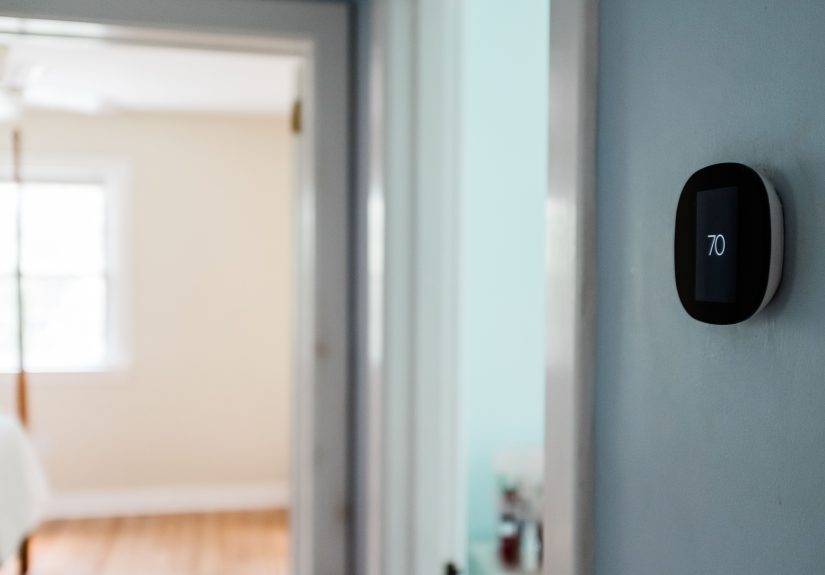
A smart thermostat is basically your old thermostat after it got a Wi-Fi connection, a tiny MBA, and a mild obsession with “optimizing.”
It can learn your schedule, let you change the temperature from your phone, and sometimes even guess when you’ve left the house.
But is it actually worth the moneyor is it just another gadget that will beep at you at 2 a.m. because it wants a software update?
Let’s break it down with real-world math, practical pros and cons, and the stuff nobody tells you until you’re standing in the hallway
staring at a bundle of thermostat wires like it’s a bomb-defusal scene in a movie.
What Exactly Is a Smart Thermostat?
A smart thermostat is a connected (usually Wi-Fi) thermostat that can automate heating and cooling adjustments, often using schedules,
occupancy detection, and app-based controls. Many models also integrate with voice assistants and smart home platforms.
Some are “learning thermostats” that adapt based on your behavior; others are “smart programmable thermostats” that are brilliant
as long as you tell them what you want.
Common Smart Thermostat Features
- Remote control: Adjust temperature from an app anywhere you have internet.
- Schedules that don’t require a PhD: Simple programming, plus quick edits when life happens.
- Geofencing / Home-Away: Uses your phone location (or sensors) to detect when you’re out.
- Energy reports: Summaries of runtime, temperature changes, and sometimes estimated savings.
- Room sensors: Some systems balance comfort across roomsgreat for “why is the bedroom freezing?” debates.
- Demand response support: Potential rebates or bill credits for letting your utility nudge temps during peak demand.
The Big Question: How Much Can You Save?
Savings are realbut not guaranteed, and not identical for every home. The biggest factor is what you’re replacing:
if your current thermostat is basically set to one temperature year-round, a smart thermostat can add “setbacks” (lower heat / higher cooling
while you’re away or asleep) automatically. If you already run a tight programmable schedule, a smart thermostat may improve convenience more than savings.
What the Data Says (In Plain English)
- ENERGY STAR’s field-based guidance: Average savings are about 8% of heating and cooling costs, or roughly $50 per year for many households.
(Your mileage may varyclimate, HVAC efficiency, and comfort preferences matter.) - Classic thermostat setback math: The U.S. Department of Energy notes you can save up to about 10% annually on heating and cooling by adjusting your thermostat
7°–10°F for 8 hours a day. Smart thermostats can automate that behavior so you don’t have to remember. - Manufacturer claims: Some brands publish higher savings estimates, often based on their own studies and specific user behaviors.
Treat these like smoothie shop “up to” claims: possible, but not a promise.
A Quick Payback Example
Let’s do the simplest return-on-investment (ROI) math:
- Thermostat cost: $150–$250 is common for major smart thermostats.
- Typical annual savings (conservative): ~$50/year.
- Payback time: About 3–5 years.
Now add rebates, and the payback can shrink fast. Some utilities offer rebates (commonly $50–$100, and sometimes higher) or ongoing incentives
through demand response programs. If you snag a rebate and actually use schedules/auto-away, the thermostat can pay for itself sooner.
Pros: Why People Love Smart Thermostats
1) Convenience That Actually Changes Your Day
Forgot to turn the AC down before leaving? You can fix it from your phone. Visiting family for the weekend and don’t want to heat an empty house?
Tap-tap, problem solved. Convenience isn’t just “nice”it reduces those small, expensive mistakes that show up on your utility bill.
2) Energy Savings Through Automation (Not Willpower)
The most efficient thermostat setting is the one you can stick to consistently. Smart thermostats shine because they reduce reliance on human memory.
Schedules, occupancy sensing, and geofencing help create those money-saving setbacks automaticallyespecially helpful if your routine is unpredictable.
3) Better Comfort: Room Sensors, Smarter Control
Many homes have uneven temperaturesupstairs is hotter, the nursery is colder, the office is a sauna because the laptop sounds like a jet engine.
Room sensors can help prioritize comfort where you actually live, not where the thermostat happens to be mounted.
4) Utility Programs and Rebates Can Be a Hidden Win
Some utilities offer rebates for ENERGY STAR–certified smart thermostats, plus additional bill credits if you enroll in a thermostat rewards program
(demand response). These programs can reduce grid strain during peak demandand you can typically override events if comfort becomes an issue.
5) Helpful Insights (When You Want Them)
Energy reports can show runtime patternslike “why did the heat run for six straight hours?” which might point to a drafty door, clogged filter,
or an HVAC issue. It’s not a full home audit, but it can help you notice trends.
Cons: The Not-So-Fun Parts (Yes, There Are Some)
1) Upfront Cost + Possible Installation Costs
Smart thermostats cost more than basic thermostats. And while many homeowners can DIY the install, some setups require professional helpespecially
if your wiring is older, your HVAC is complex, or you’d rather not gamble with “what happens if I connect the red wire to… oops.”
2) Compatibility and the Infamous C-Wire
Many smart thermostats need continuous power, often provided by a “C-wire” (common wire). Some homes already have one; others don’t.
Solutions exist (adapters, running a new wire), but it’s an extra step that can turn a quick upgrade into a mini project.
3) Savings Depend on Behavior (And Sometimes Comfort Preferences)
If you like your home at a constant 70°F year-round and you refuse to negotiate with physics, you may not see big savings.
Smart thermostats work best when you allow temperature setbacksat least a little.
4) Privacy and Security Tradeoffs
A smart thermostat is an internet-connected device that may collect usage data (like schedules, occupancy patterns, and runtime).
That data can be used for helpful featuresbut it’s still data. Security matters, too: you’ll want strong passwords, two-factor authentication where available,
and regular firmware/app updates.
5) Long-Term Support Risk (A Real “Smart Home” Problem)
Your old thermostat lasted forever because it did one job and never needed an update. Connected devices can lose features when companies end software support.
A high-profile example: older smart thermostat models from a major brand were scheduled to lose app-based control and other connected features after a support cutoff.
Even if the thermostat still works manually, losing “smart” functions changes the value proposition.
Who Should Buy a Smart Thermostat?
Smart Thermostats Are Usually Worth It If You…
- Have high heating/cooling costs (big home, extreme climate, older insulation, lots of HVAC runtime).
- Have an irregular schedule or travel often.
- Forget setbacks and want automation to do the boring part.
- Want room sensors to fix comfort hot/cold spots.
- Can use a rebate or enroll in a utility thermostat rewards program.
You Might Skip It (Or Delay) If You…
- Rent and can’t install freely (or you’ll move soon).
- Already use a programmable schedule perfectly and don’t need remote control.
- Have HVAC compatibility challenges (unusual wiring, proprietary systems) without a clear path forward.
- Don’t want another connected device for privacy or simplicity reasons.
How to Choose the Right Smart Thermostat
Step 1: Check HVAC Compatibility
Before you fall in love with a sleek glass screen, confirm compatibility with your HVAC system (furnace, boiler, heat pump, multi-stage systems, etc.).
Some premium models support more complex setups; budget models may be more limited.
Step 2: Decide What “Smart” Means for You
- Learning + automation: Great if you don’t want to program much.
- Structured scheduling: Great if you want control and predictability.
- Room sensors: Great if comfort varies by room.
- Smart home ecosystem fit: Make sure it plays nicely with the platforms you already use.
Step 3: Look for Credible Efficiency Signals
ENERGY STAR–certified smart thermostats are evaluated using field-based methods to demonstrate savings potential. If rebates are important to you,
ENERGY STAR certification is often part of the deal.
Step 4: Think About Security and Longevity
Choose a brand with a strong track record of software updates and clear support policies. Use strong account security, keep firmware updated,
and review privacy settings. (Yes, this is the unsexy part. It’s also the part that keeps your smart home from becoming a “smart headache.”)
Practical Tips to Get the Most Value
- Use setbacks thoughtfully: Even modest adjustments can add up, especially overnight or when the house is empty.
- Don’t fight the schedule daily: If you override constantly, update the schedule instead.
- Change filters and seal drafts: The thermostat can’t outsmart a clogged filter or a door gap you could mail a letter through.
- Try eco modes first: Many thermostats offer energy-saving presets that keep comfort reasonable.
- Check rebates: Utility and ENERGY STAR rebate tools can help you find local offers and program requirements.
So… Is a Smart Thermostat Worth It?
For many households, yesespecially if you’ll actually use the automation features (scheduling, auto-away, eco modes) and you have meaningful heating/cooling costs.
If you can get a rebate, the value gets even better. But if you’re already disciplined with a programmable thermostat, or you want zero connected devices in your life,
the “worth it” equation may lean toward comfort/convenience rather than big savings.
The most honest summary is this: a smart thermostat isn’t magic. It’s a tool. Used well, it can save money, reduce waste, and make your home more comfortable.
Used poorly, it becomes an expensive wall accessory that tells you the weather while you continue paying the same utility bill.
Real-World Experiences: What Living With a Smart Thermostat Feels Like (About )
Based on common homeowner reports, reviews, and usage patterns, the “smart thermostat experience” usually follows a predictable storyline
like a sitcom, except your supporting cast is a furnace, a Wi-Fi router, and a mysterious wire labeled “C” that may or may not exist.
Week 1: The Setup Adventure. People often describe the first hour as either “surprisingly easy” or “why is my wall full of spaghetti?”
If the home already has a C-wire, installation can be a tidy swap. If it doesn’t, that’s where the plot thickens. Some users end up adding an adapter,
calling an HVAC pro, or discovering that the previous owner’s wiring decisions were made during a full moon. Once the thermostat powers on,
the app setup feels like any other smart device: connect to Wi-Fi, name the thermostat something mildly embarrassing (like “ThermoBae”), and pick basic preferences.
Weeks 2–3: The Learning Curve (For You and the Thermostat). If it’s a learning thermostat, homeowners often note a short period where the device
tries to “help” in ways that feel… optimistic. For example, it may assume you love sleeping in an icebox because you once turned the temperature down after a workout.
On the programmable side, people usually realize their schedule needs refinement. The big breakthrough tends to be this: if you override the thermostat repeatedly,
it’s not a personal failureit just means your schedule settings are wrong for your actual life.
Month 2: The Convenience Pays Off. This is where fans become fans. People mention enjoying being able to pre-cool the house on the drive home,
or turning down the heat when they forgot and left for the day. Parents often appreciate keeping nurseries stable. Work-from-home folks love setting different comfort
blocks for “deep focus” hours and nighttime. And in homes with hot/cold zones, room sensors can feel like finally getting the thermostat to care about the rooms
where humans actually exist.
Seasonal Reality Check: Savings Are “Behavior-Dependent.” A common theme is that savings show up when people let the thermostat do setbacks
(sleep/away) and stop micromanaging it every hour. In other words, the smart thermostat works best when you allow it to be smart.
People who demand the exact same temperature 24/7 still get conveniencebut often see smaller bill changes.
The One Surprise: Notifications and Updates. Many users love reminders (filter alerts, unusual runtime). Others find notifications annoying
until they dial them back. Software updates are usually painless, but they’re also a reminder that this is a computer on your wall.
The best experiences tend to come from owners who treat it like a long-term appliance: keep it updated, secure the account, and check settings once a season,
not once an hour.