Table of Contents >> Show >> Hide
- What Is an NPU, Exactly?
- CPU vs. GPU vs. NPU: Who Does What?
- Why NPUs Are Suddenly a Big Deal
- The AI PC Boom: NPUs Go Mainstream
- Why NPUs Are the Future of AI, Not Just the Present of Laptops
- Real-World Examples of Where NPUs Already Matter
- Important Reality Check: NPUs Are Not Magic
- What Businesses and Consumers Should Watch Next
- Conclusion
- Extended Perspective: What Using NPU-Powered AI Actually Feels Like
Artificial intelligence has officially left the lab, escaped the cloud, and moved into your laptop, phone, earbuds, camera, and probably the smart toaster that thinks it deserves a software update. That shift has created a new hardware star: the NPU, or Neural Processing Unit.
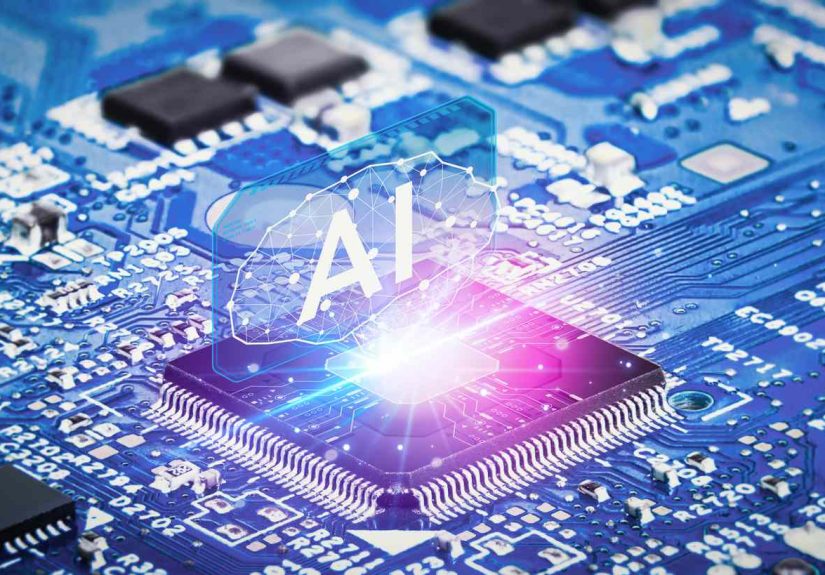
If CPUs are the reliable generalists and GPUs are the flashy heavy lifters, NPUs are the specialists who show up with exactly the right tool, use less power, and quietly make the whole operation faster. In plain English, an NPU is a processor designed specifically to run AI workloads efficiently, especially the kinds of tasks people now expect to happen instantly and locally, like live transcription, image enhancement, voice recognition, translation, background blur, and small generative AI features.
That is why NPUs matter so much right now. AI is no longer just something that happens on giant servers in giant data centers with giant electric bills. It is becoming personal, real-time, and increasingly on-device. And when AI moves closer to the user, efficiency matters just as much as raw performance.
So let’s break it down: what an NPU is, how it compares with a CPU and GPU, why it is suddenly everywhere, and why neural processing units are poised to become one of the most important pieces of the future AI stack.
What Is an NPU, Exactly?
An NPU is a specialized processor built to accelerate neural network inference. That phrase sounds intimidating, but the idea is simple. Once an AI model has been trained, it needs to run somewhere. That running stage is called inference. It is when your device listens to your voice, recognizes an object in a photo, sharpens a webcam image, generates a caption, or suggests the next words in a prompt.
NPUs are designed for the math behind those tasks, especially the matrix and tensor operations that machine learning models love so much. Instead of acting like a Swiss Army knife the way a CPU does, an NPU is more like a precision chef’s knife: less useful for opening paint cans, far better at slicing through the job it was made for.
That specialization gives NPUs a huge advantage in power efficiency. They can run sustained AI workloads without draining the battery as aggressively as a CPU or heating the chassis like a tiny countertop grill. This is one reason the NPU has become central to the modern AI PC conversation.
CPU vs. GPU vs. NPU: Who Does What?
To understand why NPUs are the future of AI, it helps to know where they fit in the broader computing picture.
CPU: The all-purpose manager
The CPU handles general-purpose computing. It is great at operating systems, application logic, multitasking, and fast-response workloads. When a task is unpredictable, branch-heavy, or simply not AI-specific, the CPU is still the boss.
GPU: The parallel performance monster
The GPU was originally built for graphics, but it turned out to be excellent for highly parallel workloads. That made it a natural fit for training large AI models and handling demanding inference jobs. If you want to run big generative models, render complex visuals, or push massive throughput, the GPU is still a heavyweight champion.
NPU: The efficient AI specialist
The NPU is optimized for always-on, low-power AI inference. It shines when the workload is repetitive, sustained, and AI-specific: noise suppression during video calls, live captions, local image processing, wake-word detection, adaptive user experiences, and certain on-device generative AI features.
Here is the cleanest way to think about it:
- CPU = flexibility
- GPU = brute-force parallelism
- NPU = AI efficiency
The future is not one of these chips replacing the other two. The future is heterogeneous computing, where each processor handles the work it is best suited for. In that setup, the NPU is not a side character. It is becoming a permanent member of the cast.
Why NPUs Are Suddenly a Big Deal
NPUs have existed in various forms for years, especially in smartphones. Apple’s Neural Engine, Google’s edge AI hardware efforts, and AI accelerators in mobile chips all helped prove the value of dedicated AI silicon. But the recent explosion of generative AI has pushed NPUs from “interesting feature” to “strategic necessity.”
There are four major reasons for that shift.
1. AI is moving onto the device
For years, many AI features depended on the cloud. You would upload data, wait for a server to process it, and receive a result. That still works, but it comes with trade-offs: latency, bandwidth costs, privacy concerns, and dependence on an internet connection.
On-device AI solves many of those problems. When a translation feature, meeting summary tool, or image enhancement function runs locally, it can feel faster, more private, and more reliable. The less your device needs to phone home, the more immediate the experience becomes.
2. Power efficiency is no longer optional
People want thinner laptops, cooler phones, longer battery life, and more AI features all at once. That is a difficult wish list unless you have hardware built specifically for efficient AI execution. NPUs are designed to deliver more AI work per watt, which is exactly what mobile and edge devices need.
3. Always-on AI needs a dedicated lane
Many modern AI features are continuous or semi-continuous. Think webcam framing, eye contact correction, live noise reduction, voice assistance, security monitoring, or accessibility features. Running those constantly on the CPU would be wasteful. Running all of them on the GPU would often be overkill. The NPU provides a dedicated lane for those tasks.
4. AI is becoming a platform feature, not just an app feature
This is the big one. AI is no longer just something inside a chatbot window. It is becoming part of the operating system, the camera stack, productivity apps, creative tools, security layers, and development workflows. When AI becomes part of the platform, hardware support has to be built into the platform too.
The AI PC Boom: NPUs Go Mainstream
If you want proof that NPUs have entered the mainstream, look at the current AI PC market. Microsoft’s Copilot+ PC category put the NPU front and center, setting a performance baseline for local AI features and making neural processing hardware a major selling point rather than a footnote buried in the spec sheet.
Chip makers immediately leaned into that shift.
Qualcomm
Qualcomm’s Snapdragon X series helped make the NPU impossible to ignore in Windows laptops. The company has marketed strong on-device AI performance and framed the NPU as a defining piece of the user experience, especially for battery-conscious AI workloads.
AMD
AMD’s Ryzen AI platform, built around its XDNA architecture, is another clear signal that dedicated AI engines are now a core part of PC design. AMD is not treating AI as a novelty checkbox. It is building tools and software pathways specifically for NPU-based inference on consumer PCs.
Intel
Intel’s Core Ultra designs also underscore the new three-part AI PC architecture: CPU + GPU + NPU. Intel’s framing is straightforward and important: the CPU handles general responsiveness, the GPU handles high-throughput workloads, and the NPU handles sustained AI tasks at lower power.
Once the biggest PC chip companies all start designing around the same architecture pattern, it is no longer a trend. It is the blueprint.
Why NPUs Are the Future of AI, Not Just the Present of Laptops
The phrase “future of AI” can sound dramatic, so let’s be precise. NPUs are not going to replace every GPU in the data center or magically run trillion-parameter models on a watch tomorrow morning. But they are likely to become one of the most important deployment targets for practical AI.
They make AI personal
AI feels more useful when it adapts to your context in real time. That means learning your patterns, reacting to your environment, and responding instantly. Local processing helps make that possible. NPUs enable AI features that feel less like remote services and more like built-in intelligence.
They improve privacy
Not every AI task should require sending personal data to the cloud. Local voice processing, image analysis, note summarization, and accessibility features can benefit from staying on-device. The more sensitive the input, the more valuable local inference becomes.
They reduce latency
Cloud inference can be fast, but local inference can feel instantaneous. For real-time subtitles, smart cameras, augmented reality, robotics, or interactive software, every millisecond matters. NPUs cut out the trip to the server and help create smoother experiences.
They lower infrastructure pressure
As AI use grows, cloud costs and data center energy demands grow with it. Offloading some inference to local NPUs can reduce bandwidth needs and shift simpler or repetitive tasks away from the server side. That does not eliminate the cloud, but it creates a more scalable balance.
They expand edge AI
NPUs are not just for laptops. They matter in cameras, industrial systems, wearables, vehicles, sensors, healthcare devices, robotics, and smart home products. Any environment that demands low latency, modest power consumption, and local decision-making is fertile ground for neural processing hardware.
Real-World Examples of Where NPUs Already Matter
It is easy to talk about AI hardware in abstract terms, but NPUs are already shaping real products and everyday experiences.
Video conferencing
Background blur, eye contact correction, voice isolation, lighting adjustments, and auto-framing are classic NPU jobs. They are repetitive, real-time, and power-sensitive, which makes them perfect for dedicated AI silicon.
Accessibility tools
Live captions, voice transcription, language translation, and scene description tools benefit from local AI. These features work best when they are fast, private, and available without a perfect connection.
Photography and media
Computational photography has already trained users to expect AI-assisted image cleanup, subject detection, background separation, and enhancement. NPUs help handle those features more efficiently, especially on mobile and edge devices.
Security and smart devices
Doorbells, security cameras, and sensors increasingly rely on local inference to detect people, packages, faces, sounds, and unusual activity. An NPU lets a device make decisions locally instead of streaming everything to the cloud.
On-device generative AI
This area is still evolving, but it is important. Small language models and compact multimodal models are becoming more practical for local use. NPUs will likely play a growing role in running these models efficiently, especially when paired with CPUs and GPUs in hybrid workflows.
Important Reality Check: NPUs Are Not Magic
Now for the healthy dose of realism. NPUs are exciting, but they are not miracle chips sprinkled with AI fairy dust.
First, TOPS is not the whole story. Marketing loves TOPS because it is easy to print on a box. Real-world AI performance also depends on memory bandwidth, software optimization, supported model formats, latency, thermal design, drivers, and the overall developer stack.
Second, software support matters enormously. A powerful NPU is only as useful as the frameworks, runtimes, and APIs that can actually target it. This is why developer ecosystems from Microsoft, AMD, Apple, Google, and others matter so much. The future of NPUs is as much a software story as a silicon story.
Third, NPUs are best at inference, not all AI work. Training giant models still leans heavily on data center GPUs and other large-scale accelerators. NPUs earn their keep mostly by making local inference practical, affordable, and efficient.
In other words, the NPU is not here to replace the GPU. It is here to make AI usable everywhere else.
What Businesses and Consumers Should Watch Next
Over the next few years, the NPU race will not just be about who advertises the biggest number. The winners will likely be the companies that solve four things at once:
- Better efficiency for longer battery life and lower thermals
- Stronger software ecosystems for developers
- More useful local AI features people actually notice
- Smoother coordination between CPU, GPU, and NPU
That last point is especially important. The future of AI devices will probably be hybrid. Some tasks will run locally, some in the cloud, and some across multiple processors on the device. The smartest systems will not choose one chip for everything. They will route work intelligently to the best engine available.
And in that future, NPUs are not an optional accessory. They are part of the core architecture.
Conclusion
Neural Processing Units are becoming essential because they solve a very modern problem: how to deliver useful AI everywhere without destroying battery life, increasing latency, or sending every tiny task to the cloud. They are built for the age of local intelligence, edge computing, privacy-aware features, and always-on assistance.
That is why NPUs matter far beyond one laptop category or one product cycle. They represent a structural change in computing. AI is no longer treated like a rare specialty workload. It is becoming part of everyday computing, and everyday computing now needs hardware designed for it.
So yes, the CPU still matters. The GPU still matters. But if AI becomes a default feature across devices, apps, and operating systems, then the NPU becomes the quiet little processor doing some of the most important work in the room. Not flashy. Not loud. Just increasingly indispensable.
Which, honestly, is a very AI way to take over the future.
Extended Perspective: What Using NPU-Powered AI Actually Feels Like
One of the most interesting things about NPUs is that when they work well, you often do not notice them directly. Nobody opens a laptop and says, “Wow, what a lovely neural processing experience.” What people notice instead is that their computer feels calmer, smarter, and less needy.
Take a typical workday. You join a video call, and the background blur looks clean without your fan sounding like a leaf blower. Your microphone removes dog barking, keyboard clatter, and the mysterious construction noise that appears the moment a meeting starts. Live captions pop up quickly. Translation tools feel responsive. Your battery is not collapsing in protest by lunchtime. That smoothness is the NPU earning its paycheck.
The same thing happens with creative work. When AI-powered photo tools isolate a subject faster, when your camera adjusts framing in real time, or when a note-taking app transcribes speech without a long delay, the experience feels more native. Less “please wait while the cloud thinks about it,” more “this feature belongs here.” That shift is subtle, but it is huge. It changes AI from a destination into a layer built into everything else.
There is also a psychological difference when features run locally. Users tend to trust a device more when it can handle sensitive tasks without uploading every snippet of audio, image, or personal context. Not every workflow can stay on-device, of course, but even partial local processing changes the vibe. It feels more private, more immediate, and more dependable. AI stops feeling like a rented service and starts feeling like part of your own machine.
Developers experience this shift too. When local AI stacks improve, building features such as transcription, summarization, object detection, semantic search, or smart image cleanup becomes more practical for mainstream software. Instead of assuming every AI feature must call a remote API, teams can begin deciding which tasks belong locally for speed, privacy, or cost reasons. That opens up a more creative design space.
For businesses, the appeal is equally tangible. Employees do not necessarily care which chip handles which workload, but they absolutely care whether meetings run better, laptops last longer, and apps feel faster. IT teams care whether AI features can work consistently across fleets of devices. Product teams care whether they can add intelligence without making software bloated or cloud-dependent. NPUs support all of those goals.
There is even a broader user-experience lesson here. The future of AI will not be won by the loudest demo alone. It will be won by systems that make intelligence feel natural, fast, and boring in the best possible way. Boring because it just works. Boring because nobody has to think about where the model ran. Boring because the machine handled the workload in the right place at the right time.
That is the real promise of the NPU. It is not just another chip category for spec-sheet enthusiasts to debate at 2 a.m. It is a bridge between powerful AI and practical everyday computing. And as AI features become more common, that bridge is going to matter more and more.