Table of Contents >> Show >> Hide
- Do You Need Xbox Live to Play Fortnite on Xbox?
- What You Actually Need to Play Fortnite on Xbox
- Why Fortnite Does Not Require Xbox Live Gold Anymore
- Is Xbox Live the Same as Xbox Game Pass?
- Do You Need Xbox Game Pass to Play Fortnite?
- Can You Play Fortnite Through Xbox Cloud Gaming for Free?
- Can You Play Fortnite Without an Epic Games Account?
- What Parts of Fortnite Are Free?
- Can You Play Fortnite With Friends Without Xbox Live?
- Common Problems When Playing Fortnite on Xbox Without a Subscription
- Xbox Console vs. Xbox Cloud Gaming: Which Is Better for Fortnite?
- Does Fortnite Crew Require Xbox Live or Game Pass?
- Is Fortnite Really Free on Xbox?
- Quick Answer: What You Need and Do Not Need
- Experience Section: What It Feels Like to Play Fortnite on Xbox Without Xbox Live
- Conclusion
No, you do not need Xbox Live Gold, Xbox Game Pass Core, Xbox Game Pass Essential, or Xbox Game Pass Ultimate to play Fortnite online on Xbox. That is the short answer, the medium answer, and honestly the answer your wallet has been hoping for. Fortnite is a free-to-play game, and Xbox allows online multiplayer for free-to-play titles at no extra charge.
For years, console players were trained to think online multiplayer always came with a subscription attached. Want to jump into a match? Pay up. Want to play with friends? Pay up. Want to get eliminated by someone wearing a banana costume while building a five-star hotel in three seconds? Also, pay up. But Fortnite is different on modern Xbox systems. You can download it, sign in, and start playing without buying a monthly Xbox subscription.
That said, there are a few details worth knowing. Xbox Live has changed names, Game Pass plans have changed over time, and Fortnite itself has grown into much more than just Battle Royale. So let’s break it all down in plain English: what you need, what you do not need, and when paying for something might still make sense.
Do You Need Xbox Live to Play Fortnite on Xbox?
No. If you are asking, “Do I need Xbox Live to play Fortnite?” the real answer is: you need a free Xbox account, but you do not need a paid Xbox subscription.
Fortnite is classified as a free-to-play game. On Xbox, free-to-play games can be played online without paying for console multiplayer access. That means Fortnite Battle Royale, Zero Build, LEGO Fortnite, Fortnite Festival, Rocket Racing, Creative experiences, Reload, and other supported Fortnite modes can be accessed without a paid Xbox multiplayer plan.
The confusion comes from old terminology. Many players still say “Xbox Live” when they mean “paid online multiplayer.” Microsoft later shifted the language from Xbox Live Gold to Game Pass-style plans. Xbox Live Gold was replaced by Xbox Game Pass Core in 2023, and Xbox’s subscription branding has continued to evolve. But for Fortnite players, the practical answer stays the same: a paid Xbox plan is not required just to play Fortnite online.
What You Actually Need to Play Fortnite on Xbox
Even though you do not need a paid Xbox Live-style subscription, you still need a few basic things. Fortnite may be free, but it is not magic. Your console will not summon the Battle Bus out of thin air.
1. An Xbox One, Xbox Series S, or Xbox Series X
Fortnite is available on Xbox One and Xbox Series X|S consoles. The newer consoles usually offer smoother performance, faster loading, and better visuals, but the core experience is available across supported Xbox hardware.
2. A Free Microsoft Account
You need to sign in with a Microsoft account to use Xbox online services. This account does not have to be attached to a paid Xbox subscription. It simply identifies your Xbox profile, friends list, achievements, privacy settings, and online access.
3. An Epic Games Account
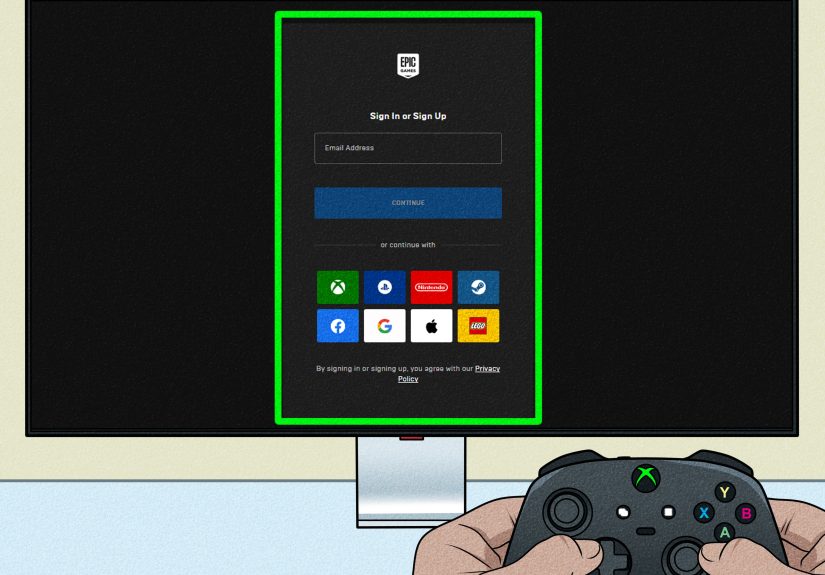
Fortnite is an Epic Games title, so your Fortnite progress, cosmetics, Battle Pass purchases, and linked platforms are managed through your Epic account. If you play on multiple devices, linking your Xbox account to your Epic Games account helps keep your progress connected.
4. A Stable Internet Connection
Fortnite is an online game, so you need internet access. A slow or unstable connection can cause lag, rubber-banding, delayed shots, and the painful experience of watching your character freeze at the exact moment someone spots you. For the best experience, use a strong Wi-Fi connection or, better yet, a wired Ethernet connection.
5. Enough Storage Space
Fortnite updates often. Sometimes it feels like the game updates because someone at Epic sneezed near a keyboard. Make sure your Xbox has enough free storage for the base game and future patches. If your console is packed with other games, screenshots, and mysterious old downloads, clearing space can prevent update problems.
Why Fortnite Does Not Require Xbox Live Gold Anymore
The main reason is simple: Xbox changed its policy for free-to-play games. In the past, many Xbox players needed Xbox Live Gold to play online multiplayer, even for games that were technically free. That created an awkward situation: Fortnite was free to download, but not completely free to play online on Xbox unless you had the paid multiplayer subscription.
That changed when Xbox removed the paid online multiplayer requirement for many free-to-play games. Fortnite was one of the biggest winners of that change. Since then, players have been able to access Fortnite online multiplayer on Xbox without paying for Xbox Live Gold or its modern subscription equivalents.
This was a big deal because Fortnite’s whole appeal is accessibility. It is designed so friends can jump in from different platforms, including Xbox, PlayStation, Nintendo Switch, PC, Android, and cloud gaming options. Removing the Xbox subscription requirement made the experience feel more consistent across platforms.
Is Xbox Live the Same as Xbox Game Pass?
No, and this is where things get confusing fast. “Xbox Live” used to be the common phrase people used for Xbox’s online service. “Xbox Live Gold” was the paid subscription that allowed online multiplayer for many paid games. Later, Microsoft replaced Xbox Live Gold with Xbox Game Pass Core, and current Xbox Game Pass branding includes multiple plans with different benefits.
For Fortnite, you do not need to memorize every Xbox subscription tier. The key point is this: paid Xbox subscriptions can offer extra benefits, game libraries, discounts, cloud gaming access for many titles, and sometimes in-game perks, but they are not required just to play Fortnite online on an Xbox console.
Do You Need Xbox Game Pass to Play Fortnite?
No. You do not need Xbox Game Pass to play Fortnite on an Xbox console. You can install Fortnite from the Xbox Store and play it as a free-to-play title.
However, Xbox Game Pass may still appear around Fortnite in a few ways. Xbox may promote Game Pass benefits, and certain Game Pass plans may include bonuses or perks for selected games. Game Pass Ultimate has also included Fortnite Crew as a promoted benefit in some Xbox subscription pages. But that is different from needing Game Pass to play Fortnite.
Think of it like going to a free public park. You can walk in and play basketball for free. Someone may sell snacks nearby, offer premium shoes, or rent fancy gear, but none of that changes the fact that entry to the court is free. Fortnite works similarly: the game is free to play, while cosmetics, V-Bucks, Crew, and other optional extras cost money.
Can You Play Fortnite Through Xbox Cloud Gaming for Free?
Yes. Fortnite is also available through Xbox Cloud Gaming without requiring a paid Xbox Game Pass subscription. This is especially useful if you want to play on a phone, tablet, browser, smart TV, or another supported device without installing the full game.
To play Fortnite through Xbox Cloud Gaming, you generally need a free Microsoft account, a compatible device, a supported browser or app experience, and a strong internet connection. On some devices, you can use touch controls; on others, a supported controller may feel better.
Cloud gaming is convenient, but it depends heavily on your connection. If your internet is strong, Fortnite can feel surprisingly smooth. If your connection is weak, your character may move like they are wearing boots made of wet cement. For competitive play, a console installation usually feels more responsive than cloud streaming.
Can You Play Fortnite Without an Epic Games Account?
You can start the process from Xbox, but an Epic Games account is important if you want to protect your progress and use cross-platform features properly. Linking your Xbox profile to an Epic account helps preserve your skins, emotes, Battle Pass progress, V-Bucks balance where supported, and friend connections.
If you ever plan to play Fortnite on more than one device, linking accounts is highly recommended. For example, you might play on Xbox at home, use cloud gaming on a tablet while traveling, and log in on PC later. A properly linked Epic account helps keep your Fortnite life from turning into a confusing pile of missing outfits and “Where did my stuff go?” panic.
What Parts of Fortnite Are Free?
Fortnite is free to download and free to play, but it includes optional purchases. The free experience includes access to major Fortnite modes such as Battle Royale, Zero Build, Creative maps, LEGO Fortnite, Fortnite Festival, Rocket Racing, and other available experiences. Mode availability can change over time as Epic updates the game.
What costs money? Mostly cosmetics and optional premium content. V-Bucks can be purchased and used for outfits, emotes, wraps, pickaxes, gliders, and other items. The Battle Pass usually costs V-Bucks, although players can earn some rewards through gameplay. Fortnite Crew is a paid monthly subscription that includes rotating benefits, typically involving V-Bucks, passes, and cosmetic items.
The important part: spending money does not make you better at aiming, building, rotating, or surviving. A flashy outfit may look cool, but it will not save you from a player hiding behind a tree with suspiciously perfect aim.
Can You Play Fortnite With Friends Without Xbox Live?
Yes. You can play Fortnite with friends without a paid Xbox subscription. Fortnite supports cross-platform play, which means Xbox players can squad up with friends on PlayStation, PC, Nintendo Switch, mobile-supported options, and cloud gaming where available.
You can add friends through Epic Games, invite them to your party, and join matches together. Xbox party features and in-game voice chat settings may depend on privacy controls, age settings, account permissions, and headset setup. If voice chat does not work, check both Xbox privacy settings and Fortnite’s in-game audio settings.
Common Problems When Playing Fortnite on Xbox Without a Subscription
Most players can launch Fortnite without issue, but a few common problems can cause confusion.
Problem: Xbox Keeps Showing Game Pass Ads
Xbox may promote Game Pass on the dashboard or store pages. That does not necessarily mean Fortnite requires it. Look for the option to install or play Fortnite directly. If Fortnite is listed as free-to-play, you should not need a paid multiplayer plan.
Problem: Fortnite Says You Cannot Play Online
This may be caused by account restrictions, parental controls, age settings, Xbox privacy settings, Epic account issues, or temporary service outages. Check Xbox network status and Epic Games server status if the game suddenly stops working.
Problem: Voice Chat Does Not Work
Voice chat issues are often related to privacy settings, headset permissions, party chat conflicts, or Fortnite audio settings. Make sure voice chat is enabled in Fortnite, your headset works in other apps, and your account is allowed to communicate with other players.
Problem: You Cannot Buy V-Bucks
Payment issues are separate from online access. You may need to check your Microsoft account payment method, family settings, gift card balance, regional settings, or Epic account connection.
Xbox Console vs. Xbox Cloud Gaming: Which Is Better for Fortnite?
If you have an Xbox console, installing Fortnite directly usually gives the best experience. You get better responsiveness, more reliable controls, and fewer streaming-related delays. This matters in a fast game where one second can be the difference between a Victory Royale and becoming someone else’s highlight clip.
Xbox Cloud Gaming is excellent for convenience. It lets you play without a large download and can be useful on devices that would not normally run Fortnite. But because cloud gaming streams the game over the internet, input delay and image quality can vary.
For casual play, quests, Creative maps, LEGO Fortnite, or relaxing sessions, cloud gaming can be great. For ranked matches or serious Battle Royale sessions, a local Xbox installation is usually the better choice.
Does Fortnite Crew Require Xbox Live or Game Pass?
Fortnite Crew is separate from Xbox Live and Game Pass. It is Fortnite’s own paid monthly membership. It usually includes monthly V-Bucks, cosmetic items, and pass access depending on Epic’s current offering.
You do not need Fortnite Crew to play Fortnite. You also do not need Xbox Game Pass to subscribe to Fortnite Crew through normal Fortnite purchase options. However, Xbox may bundle or promote Fortnite Crew through certain Game Pass plans, so always read the current terms before subscribing.
Is Fortnite Really Free on Xbox?
Yes, Fortnite is genuinely free to play on Xbox. You can download it, join matches, play with friends, explore Creative maps, and enjoy major Fortnite modes without paying for the base game or a required Xbox multiplayer subscription.
But “free” does not mean “zero possible spending.” Fortnite is very good at selling cool-looking digital items. One minute you are just checking the Item Shop, and the next minute you are emotionally attached to a dancing robot, a glowing pickaxe, and an outfit you swear is “strategically necessary.” It is not necessary. It is a hat with confidence.
The best approach is to treat Fortnite like a free game with optional extras. Play first. Decide later if cosmetics, Battle Passes, or Crew benefits are worth it to you.
Quick Answer: What You Need and Do Not Need
You Do Need:
- An Xbox One, Xbox Series S, Xbox Series X, or supported cloud gaming device
- A free Microsoft account
- An Epic Games account for the best cross-platform experience
- A stable internet connection
- Enough storage space if installing on console
You Do Not Need:
- Xbox Live Gold
- Xbox Game Pass Core
- Xbox Game Pass Essential
- Xbox Game Pass Ultimate
- Fortnite Crew
- A paid Battle Pass
Experience Section: What It Feels Like to Play Fortnite on Xbox Without Xbox Live
Playing Fortnite on Xbox without a paid Xbox Live-style subscription feels refreshingly simple. You download the game, sign in, and the game just works. There is no awkward moment where you reach the multiplayer screen and get stopped by a subscription paywall. For anyone who remembers the old days of needing Xbox Live Gold for nearly every online console match, this feels like someone finally removed a very annoying toll booth from the road.
The first thing most players notice is how normal the experience feels. You are not placed into a “free player” version of Fortnite. You are not locked out of Battle Royale, Zero Build, Creative, LEGO Fortnite, or other major experiences just because you skipped Game Pass. You can queue with friends, complete quests, earn free rewards, level up, and get absolutely humbled by someone who edits walls faster than most people blink.
For families, this is especially helpful. A parent does not have to buy a recurring Xbox subscription just because a kid wants to play Fortnite with school friends. The game still needs supervision, healthy screen-time limits, and privacy settings, of course, but the cost barrier is lower. You can set up the console, create the right accounts, adjust communication permissions, and let the player enjoy Fortnite without adding another monthly bill to the household subscription pile.
For casual players, the free access also makes Fortnite easier to revisit. Maybe you stopped playing for a few seasons. Maybe you only return when a big collaboration appears, a new map launches, or your friends suddenly declare that “this season is actually good.” Without a paid online requirement, you can jump back in without calculating whether a subscription is worth it for one weekend of chaos.
The main thing to watch is storage. Fortnite updates can be large, and returning players may spend more time updating than expected. If you have slow internet, start the download before you actually want to play. Nothing ruins squad night faster than saying, “I’ll be ready in five minutes,” while your Xbox calmly announces a massive update.
Another practical experience tip: check your account linking early. If you previously played Fortnite on another platform, connect the correct Epic Games account before buying anything new. Many “lost skin” panic moments happen because players accidentally create or use the wrong account. Take a few minutes to confirm your Epic account, Xbox profile, and display name before investing in V-Bucks, Crew, or Battle Pass content.
Voice chat is another area where settings matter. If you are playing with friends across platforms, Fortnite’s in-game party chat is often easier than relying only on Xbox party chat. If voice chat fails, do not immediately blame the game. Check Fortnite voice settings, Xbox privacy settings, headset mute buttons, and account communication permissions. The problem is often one tiny setting hiding in a menu like it is playing stealth mode.
In real use, the best part of Fortnite on Xbox is flexibility. You can play seriously, casually, creatively, socially, or just wander around wondering why everyone else seems to know exactly where the best loot is. And because you do not need Xbox Live Gold or a paid Game Pass plan, the decision to play is simpler. The game is free, the online multiplayer access is free, and the only purchases you need to think about are optional cosmetics or memberships. In other words, your biggest danger is not the subscription fee. It is the Item Shop looking a little too tempting at midnight.
Conclusion
So, do you need Xbox Live to play Fortnite? No. You do not need Xbox Live Gold, Xbox Game Pass Core, Xbox Game Pass Essential, or Xbox Game Pass Ultimate to play Fortnite online on Xbox. Fortnite is a free-to-play game, and Xbox allows free online multiplayer access for free-to-play titles.
You only need the basics: a supported device, a free Microsoft account, an internet connection, and ideally a linked Epic Games account. Paid options like V-Bucks, Battle Passes, Fortnite Crew, and Game Pass benefits can add extras, but they are not required to drop from the Battle Bus.
If your goal is simply to play Fortnite with friends, build, battle, race, perform, explore, or get eliminated in spectacular fashion by someone dressed as a cartoon fish, you can do that without paying for Xbox online multiplayer. Finally, a win before the match even starts.